What Is Cloud Accounting? Understanding the Digital Bookkeeping Revolution
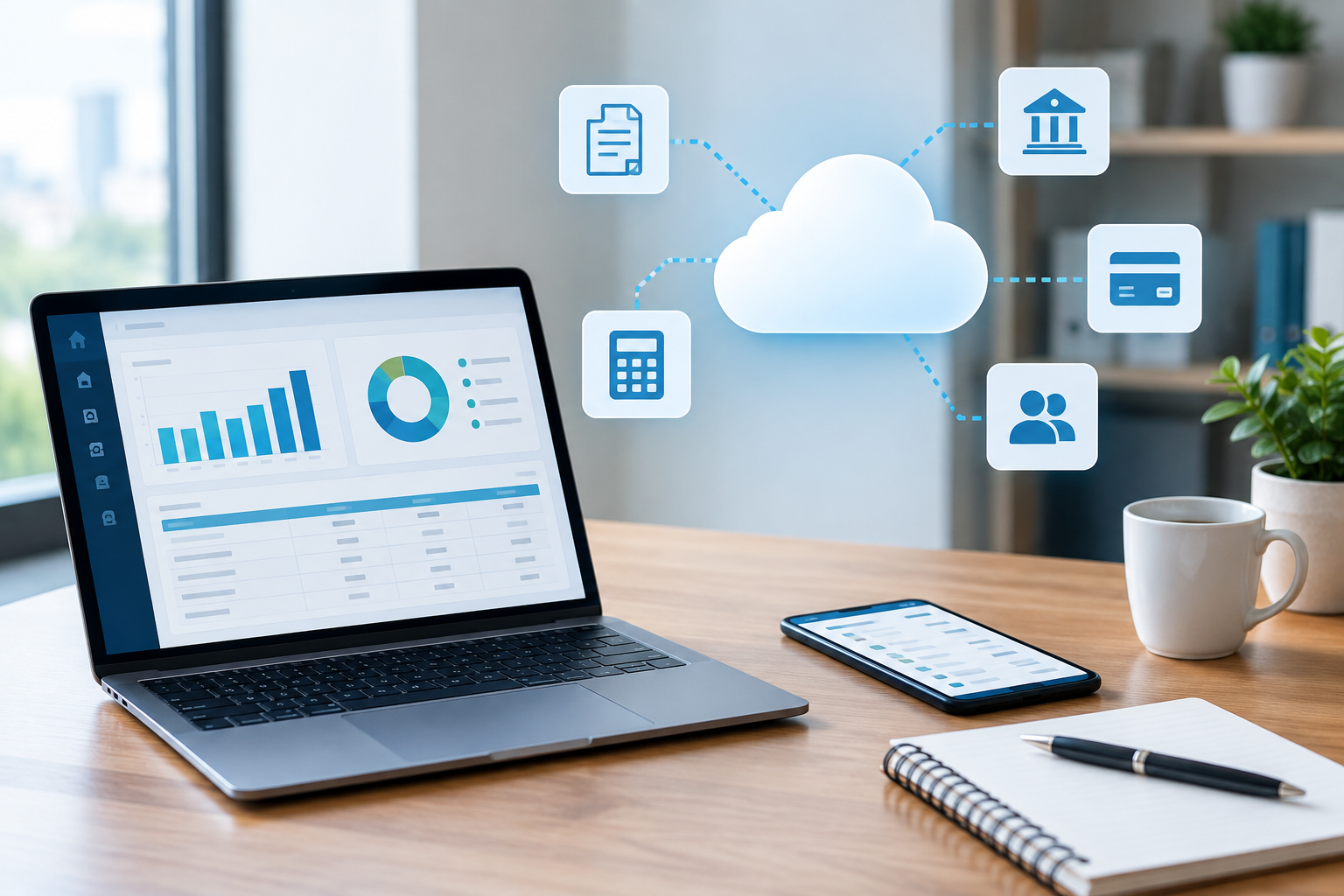
The question “what is cloud accounting” reflects a critical shift in how businesses of all sizes track finances. Unlike traditional desktop software limited to a single computer, cloud accounting leverages remote servers to provide real-time access to a company’s financial data from any device with internet connectivity. Firms opting for this model synchronize bookkeeping tools directly with their operational tech stack—such as point-of-sale systems, CRM, payroll, and even custom back-office workflows—so every transaction, invoice, and bank statement is always current. Yet, while onboarding seems straightforward in vendor demos, integration obstacles abound: APIs can be restrictive or undocumented, bulk data imports risk corruption, and legacy systems (think Sage, QuickBooks Desktop) rarely map 1:1 into these new environments.
If you’re weighing a move to digital bookkeeping or automating your accounts process, this guide delivers the technical specifics, feature breakdowns, hidden drawbacks, and future outlook for cloud-based solutions.
Cloud Financial Tracking: How Modern Platforms Sync, Integrate, and Automate
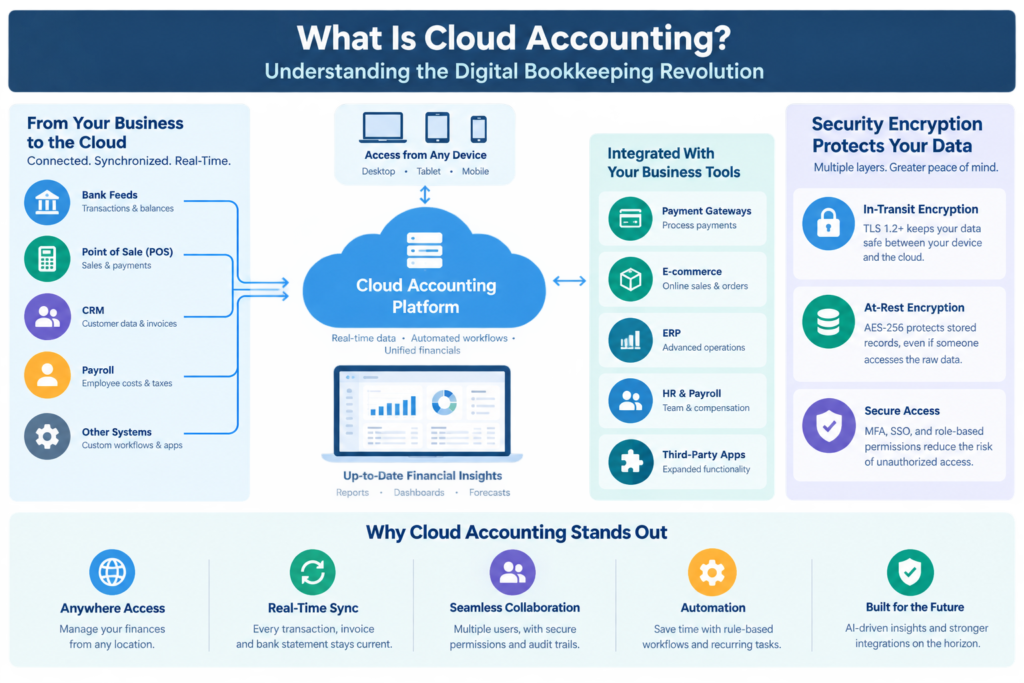
Cloud accounting systems anchor themselves as the financial source of truth by continuously syncing with core business applications. Platforms like Xero, QuickBooks Online, and FreshBooks provide bank feed APIs, project tracking modules, and direct connections with payment gateways. This integration ensures that every invoice, expense, and vendor payment is up-to-the-minute—but syncing isn’t always frictionless:
- API Limitations: Banks routinely change authentication protocols, breaking feeds or dropping historical data. Many accounting tools only support a finite number of API calls per hour, slowing down large-volume syncing.
- Data Onboarding: New users often grapple with mapping old chart-of-accounts schemas or importing CSVs with mismatched field types. Missed fields or corrupted date formats can disrupt reconciliation workflows for weeks.
- Real-Time Collaboration: Cloud systems allow simultaneous access from multiple team members and accountants, but with each touchpoint comes increased configuration complexity—role-based permissions, audit trails, and concurrent edit conflict resolution must be meticulously set up.
Dashboard reporting is a cornerstone feature: managers see cash flow, aged receivables, and budget actuals in near real time, often with customizable widgets. Rule-based automation lets users predefine transaction categorizations, auto-split payments, or schedule recurring invoices. In daily operation, this translates into measurable FTE savings—firms can cut close time on monthly books from seven days down to as little as 48 hours.
However, businesses trading flexibility for cloud convenience give up local database access and advanced custom scripting (a persistent need for those with niche verticals such as manufacturing or complex inventory multi-entity setups).
Next-gen systems are doubling down on AI-driven anomaly detection, suggesting journal entries based on historical behavior and dynamically flagging outliers for review. Within 12–24 months, expect integration with procurement tools, expense management, and even ERP modules to rely on more robust, self-healing APIs, reducing downtime and data lag.
Comparing Cloud and Desktop: Core Benefits, Friction, and Strategic Trade-Offs
Enterprises looking to answer “what is cloud accounting” in practical terms cannot ignore the radical difference between cloud and desktop accounting. This is not just about device access; it’s a fundamental shift in architecture, licensing, and operational risk:
| Platform Type | Access | Data Sync | Customization | Security Model | Best For | Common Limitations | Sample Providers |
|---|---|---|---|---|---|---|---|
| Desktop Accounting | Single-device or LAN | Manual; batch imports only | Full local scripting & add-ons | Relies on device/network security | Manufacturing, vertical industries | No remote access, high IT overhead | QuickBooks Desktop, Sage 50 |
| Cloud Accounting | Browser/mobile, multi-site | Real-time API bank, POS & payroll feeds | Template-level workflows only | Multi-layer encryption, SSO options | Startups, SMEs, distributed teams | Limited niche customization, API volume caps | Xero, QuickBooks Online, Zoho Books |
Benefits of cloud:
- Anywhere access: Approve invoices or check P&L on the go.
- Instant updates: No forced server upgrades or patching downtime.
- Native collaboration: Built for multi-user access with audit logging.
- Automatic back-ups: No more manual exports to USB or onsite drives.
Trade-offs:
- Downtime risk: Vendor server outages can disrupt access.
- Subscription costs: Monthly/annual fees add up quickly (typical pricing: $18–$60/user/month vs. one-off desktop license).
- Config rigidity: Highly niche accounting workflows often can’t be scripted or heavily modified at the codebase level in the cloud.
Emerging AI data mapping and no-code integrations are making the gap narrower: expect more advanced workflow builders and modular third-party plugins to improve cloud platforms’ flexibility for specialized industries.
How Security Encryption Works in Cloud Accounting Platforms
Security concerns dominate the “what is cloud accounting” debate. Cloud vendors invest heavily in multi-layered encryption, often exceeding what SMEs can realistically achieve on-premise:
- In-Transit Encryption: TLS 1.2+ ensures all data between browsers and cloud servers is unreadable to interceptors. Accountants logging in over public WiFi are shielded from packet sniffers.
- At-Rest Encryption: Leading vendors (e.g., Xero, QBO) encrypt all stored records with AES-256, so unauthorized direct access to raw disk data shows only gibberish.
- Credentialing: Modern platforms offer multi-factor authentication (MFA), single sign-on (SSO) via SAML or OAuth, and granular user roles, minimizing breach exposure.
Integration friction emerges when businesses use third-party add-ons or connect bank feeds that don’t support end-to-end OAuth. Weak links—like emailed invoices with PDF attachments or SMS-based MFA—can introduce vulnerabilities despite strong core platform encryption.
Internal friction also exists: users must be trained to manage access privileges tightly, review audit logs for unusual activity, and rotate API keys regularly.
Future-proofing: AI-driven behavioral analytics will become standard, instantly flagging abnormal login locations, export behavior, or potential social engineering attempts. Regulatory trends (GDPR, CCPA) are also pressuring vendors toward more transparent, client-controlled encryption keys and periodic incident reporting.
5 Essential Features to Look For in Cloud Accounting Solutions
The “what is cloud accounting” answer is incomplete without breaking down what distinguishes a truly enterprise-ready system from basic invoicing apps. Below are five non-negotiable features, with explicit insight into technical function and operational impact:
- Bank Feed Automation
- Live connection to dozens—sometimes hundreds—of banks via tokenized API feeds. Transactions appear in the ledger automatically, avoiding manual CSV uploads and associated errors.
- Hidden pain: Some banks throttle feeds or require frequent re-auth, leading to delays or duplicate entries.
- Advanced Reconciliation Workflow
- Rule-based engine that matches imported transactions to invoices and bills, flagging exceptions.
- Daily life: Accountants resolve outliers with drag-and-drop, attach supporting docs, or trigger custom requests for missing information.
- Limitation: Bulk reconciliation of niche transaction types (e.g., international currency variances) remains a challenge without custom modules.
- Real-Time Multi-User Collaboration
- Concurrent editing with bulletproof user permissions, audit trails, and override locks—minimizing accidental overwrite or unauthorized changes.
- Con: More users, more policy friction—requirement for rigorous onboarding and frequent permissions reviews.
- Customizable, Dynamic Dashboards
- Interactive data visualizations, KPI widgets, and “drill-down” reports for cash flow, AR aging, or profit forecast scenarios.
- Trade-off: While templates are flexible, deep, multi-dimensional modeling is often limited compared to Excel power users or BI suite integrations.
- API & App Marketplace Ecosystem
- Extensibility via a curated selection of third-party apps—payroll, expense tracking, sales tax automation—available for near-instant plug-in integration.
- Caveat: Not all add-ons are uniformly vetted, and API call volume or data field limitations may bottleneck high-volume businesses.
Looking ahead, expect the best platforms to introduce more “no code” automation flows and deeper machine-learning-powered error detection, empowering users to build complex rules or anomaly alerts without a technical administrator on hand.
Frequently Asked Questions: What Is Cloud Accounting—The Critical Details
Q: How reliable are cloud accounting platforms?
A: Uptime on major platforms exceeds 99.95%—but scheduled maintenance and unexpected outages still occur. Always demand a written SLA and understand backup export capabilities.
Q: What do I lose by switching from desktop?
A: You may sacrifice bespoke, local scripting, deep database-level reporting, and permanent access to raw data—especially if you end your subscription. Assess your current workflow’s reliance on highly tailored features before migrating.
Q: What’s the real cost?
A: Expect to pay $25–$90 per user/month for full-featured cloud accounting. Add-ons (payroll, BI, premium support) are typically extra. Over 3–5 years, TCO (total cost of ownership) can surpass older desktop models, but savings accrue via reduced IT staffing, hardware, and fewer regulatory penalties.
Q: How does migration work?
A: Most platforms offer CSV/Excel or direct migration tools, but field mismatches, custom tax rules, and legacy journals require expert review. Plan for at least one reconciliation cycle post-migration before decommissioning your legacy system.
Q: Is AI automating bookkeeping jobs?
A: Entry-level data entry is rapidly being absorbed by rule-based bots and AI suggestions. Mid-level accountants shift toward exception handling and high-value advisory—expect roles to evolve, not vanish, in the next 24 months.
The definitive “what is cloud accounting” answer is this: It streamlines, automates, and democratizes business finance, but critical trade-offs remain. The next generation will hinge on smarter automation, stronger app ecosystems, and transparent security.