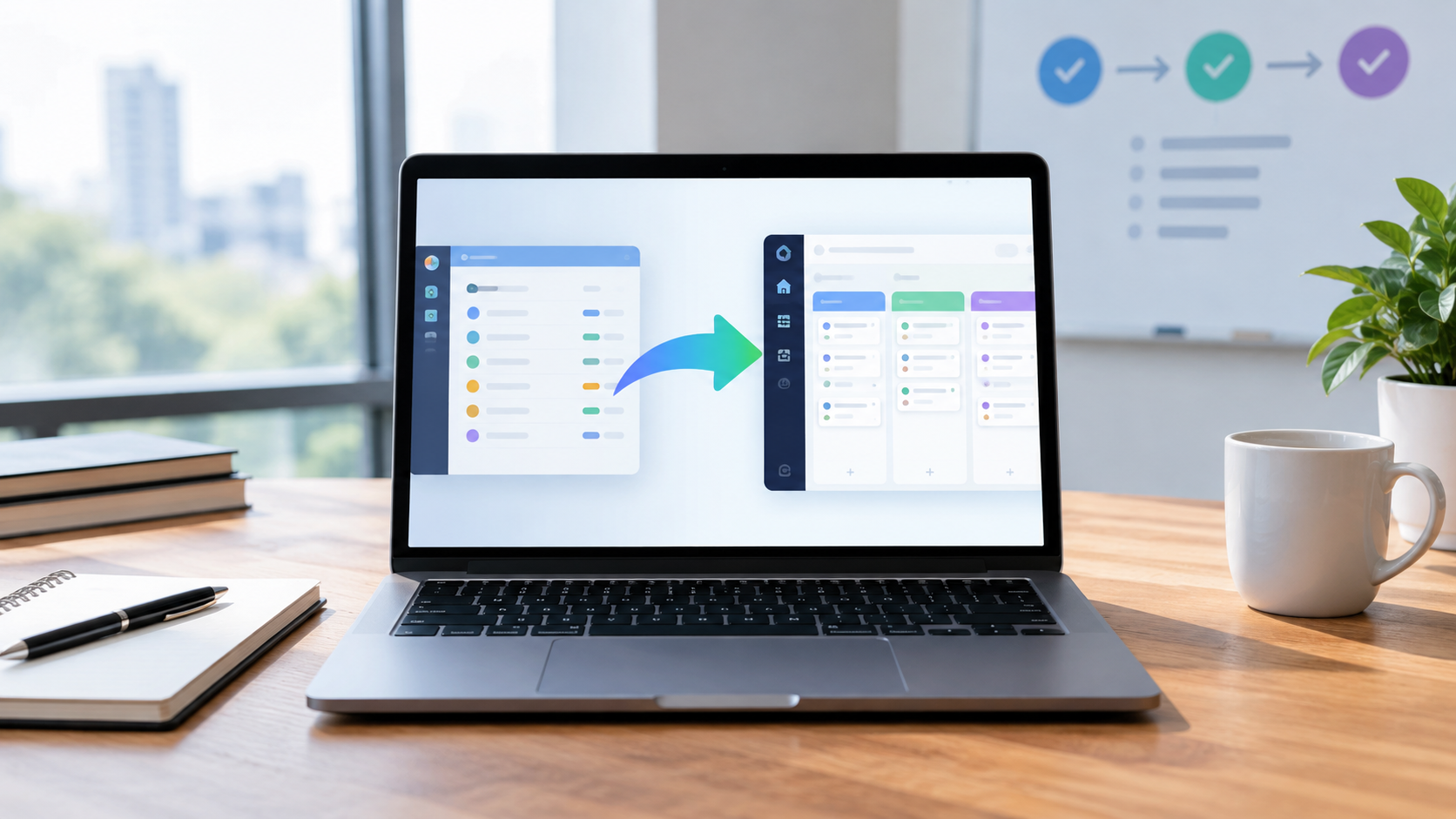
Project Management Software Migration: A Practical Cutover Guide
Facing a project management software migration isn’t just a checklist exercise. It means orchestrating your organization’s operational DNA across potentially incompatible ecosystems like Asana, monday.com, or ClickUp. Each platform has entrenched workflows, unique data schemas, and very real limitations when you attempt to map users, automate handoffs, and preserve historical context. A controlled, successful migration is won or lost in the details — not just in raw data exports, but in permissions models, dashboard rebuilds, and team behavior shifts.
Define Migration Scope and Ownership
A focused project management software migration begins by crystallizing what’s moving — and who’s accountable. Half-measures often trigger shadow IT risk, data decay, and confusion. Treat this as a living RACI: Which teams, data types, and customizations are migrating? Is the goal a full platform replacement, or just a pilot cohort? Don’t overlook the understaffed post-migration support and surfacing of “unknown unknowns.”
- Technical Friction: These platforms diverge sharply in terms of supported integrations and export fidelity. Asana and monday.com restrict export completeness (attachments, comments aren’t always included). ClickUp offers more robust APIs but struggles with keeping third-party progress data perfectly synced during staged migrations.
- Granular Feature Teardown: All three tools let you assign Owners, but mapping this field between systems isn’t trivial. Asana’s owner is a single user tied to every task, while ClickUp supports multiple assignees; monday.com uses People columns for more flexible team handoff scenarios, but migrations require tight mapping logic to avoid permission leaks.
- Hidden Trade-offs:
- Asana’s simpler scope definitions limit granularity for enterprise subsidiaries, demanding workaround hierarchies.
- monday.com’s Boards as organizational units lead to scope creep—businesses with tons of small projects face sprawling admin overhead.
- ClickUp’s Spaces and nested Folders provide control, but the sheer number of options slows down non-technical project managers.
- Future-Proofing Analysis: Expect increasingly intelligent migration tooling—AI-based scope recommendations, anomaly detection for data mismatch, and live “migration readiness” dashboards predicting stakeholder risk by role or department.
Audit Active Projects and Archived Work
[INFOGRAPHIC_GOES_HERE]
A full audit surfaces exactly which records, boards, or workspaces justify the overhead of project management software migration. Most teams underestimate historical bloat or mislabelled project states: countless “archived” boards have active dependencies in integrated tools (Slack, Jira, Google Drive), resulting in data rot or workflow failure post¬migration.
- Technical Friction: Pulling comprehensive audits is convoluted. Asana’s export CSV omits key metadata (like completion dates and subtasks without parent linkage). monday.com exports status but not automation histories. ClickUp provides more granular activity logs, but they bloat file sizes far beyond API rate limits when working at enterprise scale.
- Granular Feature Teardown:
- Project dashboards in Monday and ClickUp give visibility, but only if fields were used consistently across teams.
- Most platforms treat archived and deleted data differently — audit exports rarely include deletes, meaning risk of orphaned references during migration.
- Hidden Trade-offs:
- Prioritizing only active projects cuts costs, but risks losing staff knowledge buried in archived subtasks, comments, and custom fields.
- Comprehensive auditing slows migration velocity but radically reduces post-migration restoration work and compliance exposure.
- Future-Proofing Analysis: New AI auditing tools will soon enable faster record deduplication, auto-tagging of redundant historical projects, and even predictive archiving based on integration status (e.g., “Project X is referenced in a Salesforce Opportunity — recommend preserving”).
Map Tasks and Custom Fields
The precise mapping of tasks and custom fields sits at the core of any project management software migration. Every platform has its own taxonomy—mismatches in field types and structures create workflow gaps, trigger reporting loss, and can even break automation logic on go-live.
- Technical Friction:
- Asana and ClickUp treat subtasks as hierarchy, while monday.com flattens them into linked items—critical if reporting or automation relies on deeply nested tasks.
- No universal translator exists for custom field datatypes; ClickUp’s dropdowns aren’t always convertible to Asana’s single-select formats. Manual mapping, with heavy QA, is the only guarantee.
- Granular Feature Teardown:
- Advanced users rely on formula fields (in monday.com), but lose formulas entirely when migrating to Asana or ClickUp, often requiring duplicative no-code automation builds post-migration.
- Dependency mapping: Asana’s “Dependencies” field translates poorly to Monday’s or ClickUp’s approach, risking lost critical path logic for software projects.
- Hidden Trade-offs:
- High-fidelity field migration means more upfront scripting and error handling, but delivers less re-training pain and fewer surprises after deployment.
- Simplifying field mapping (e.g., collapsing multi-value selectors into free-text fields) speeds migration but crushes reporting utility and process automation in the new tool.
- Future-Proofing Analysis: Expect platforms to leverage advanced row-matching algorithms and large language model (LLM)-powered “field mapping wizards” that pre-suggest migration schemas, reducing reliance on manual spreadsheet wrangling, especially for multi-team environments.
Preserve Dependencies and Attachments
Preserving dependencies—like task linking and file attachments—is crucial for ongoing velocity and compliance. Yet, these payloads are where most project management software migration failures emerge, with broken links and missing context derailing mission-critical project flows.
- Technical Friction:
- Attachments: Each platform stores file references differently (internal, Box, Google Drive); native Asana to ClickUp migrations often reduce attachment files to dummy URLs or lose version history entirely.
- Dependencies: Monday.com only allows basic item-to-item linkage, while ClickUp/Asana support complex heirarchies (blockers, dependents, etc.), requiring careful mapping or complete loss of dependency chains in translation.
- Granular Feature Teardown:
- User workflows that rely on “clickable” dependency chains for cross-team handoffs must be reconstructed, or risk teams working out of order due to lost relationships.
- Attachment previewing and version control in ClickUp and monday.com are more advanced than Asana’s one-file-per-task approach, so features can regress after migration.
- Hidden Trade-offs:
- Preserving files and dependencies increases hours, storage needs, and QA cycles, but gives legal defensibility and less staff confusion long-term.
- Some choose minimal file moves (+ cloud storage redirects), but lose inline context in dashboards and automated status reporting.
- Future-Proofing Analysis: AI-based file deduplication and auto-link correction will soon minimize manual relinking. Automated dependency blueprinting (e.g., using graph AI to visualize and reconstruct chains) is likely to become standard for enterprise migrations.
Rebuild Permissions and Integrations
Permissions schemas and third-party integrations require a total rethink during project management software migration. Simple “admin = admin” translations miss group inheritance issues and tangled API tokens—don’t be surprised if SSO breaks or multi-domain orgs lose sharing logic in the process.
- Technical Friction:
- Asana: Limited role complexity (Owner / Member only), but SAML/SSO setup is straightforward.
- Monday.com: Fine-grained access on every board, but bulk permission changes are slow for large orgs—APIs are rate-limited.
- ClickUp: Detailed permission matrix per Space/Folder, but high complexity—onboarding teams may accidentally grant excess access.
- Integrations: Maintaining automations (Slack, Jira, CRM connectors) is never “plug and play”. Tokens often reset; platform-specific connectors must be rebuilt, retested, and re-scoped for correct field mapping.
- Granular Feature Teardown:
- Automated permissions audits using reporting dashboards (rare in Asana, strong in ClickUp) help, but require manual sign-off for compliance-driven orgs.
- SSO and user provisioning tools (Okta, Azure AD) typically need direct re-auth flows and bulk user updates during migration; beware timing conflicts and expired invites.
- Hidden Trade-offs:
- Fastest migrations default to lowest common denominator permissions, but expose the org to lateral movement by disgruntled users if roles aren’t carefully ported.
- Restoring full integration footprint increases lift but keeps automations and reporting unbroken—key for businesses reliant on workflow triggers (e.g., “create Jira ticket when ClickUp status turns red”).
- Future-Proofing Analysis: Expect to see “Migration Sandbox Mode” from vendors—allowing real-time permission simulation and live ‘integration health’ dashboards leveraging AI to flag risky oversights before go-live.
Test Imports and Reconcile Records
No project management software migration lasts unless you test every import—twice. Homegrown scripts, vendor-importers, or even paid consulting partners all require detailed grind: every imported record must line up by field, dependency, status, and permission. Skipped QA leads to missing revenue, botched task timelines, or even compliance fines.
- Technical Friction:
- Bulk importers routinely drop field errors into logs without stopping—leading to thousand-line exceptions buried in system tables.
- Record reconciliation needs acute auditability: field-by-field crosswalks, API-based “diff” reporting, and manual spot checks by power users are all mandatory, especially for regulated industries (healthcare/pharma/finance).
- Granular Feature Teardown:
- Both monday.com and ClickUp offer import UIs, but with weak error handling—users must often re-run imports after discovering field mapping misses or cyclic dependency loops.
- Automations rarely carry over cleanly—scripts must be rebuilt and “soak tested” (re-triggering flows en-masse to guarantee they fire as expected).
- Hidden Trade-offs:
- Full-database test imports can double migration timelines, but are the only shield against nightmarish support calls weeks after cutover.
- Spot-checks and sampling reduce effort, but let through edge-case data mismatches that can surface in regulatory audits or mission-critical launches.
- Future-Proofing Analysis: Emerging AI reconciliation tools will auto-analyze imports, flagging suspect data patterns, potential permission mismatches, and “unlinked” records as part of standard acceptance testing.
Plan Cutover and Rollback
A resilient cutover plan is the lynchpin of any successful project management software migration. Without rigorous scheduling and rollback scenarios, teams find themselves working in two tools at once—or, worse, with irreversibly lost projects and time-tracking data.
- Technical Friction:
- Vendors like Asana and monday.com don’t allow ‘freeze periods’—users can update records in old systems during cutover, creating delta mismatches that are hard on reconciliation.
- Automations and webhook triggers are high risk: unless explicitly disabled/enabled at exact stages, duplicate or accidental triggers can spam alerts, create duplicate tasks, or escalate priorities incorrectly post-migration.
- Granular Feature Teardown:
- “Big bang” cutover (overnight switch) vs. phased pilot (team by team) both need explicit rollback points. Only ClickUp natively supports mass bulk record delete/undo, but it’s rarely QA-approved for rollback at scale.
- Manual data snapshots, side-by-side user signoff, and post-cutover “watch windows” help manage risk—each requires hands-on admin labor and buy-in from line managers.
- Hidden Trade-offs:
- Ultra-resilient rollback means excessive labor (often double work for end-users). Fast cutover compresses timelines but increases exposure to lost or duplicated records.
- Cutover windows often land outside business hours for global companies, increasing risk of missed emergency escalations.
- Future-Proofing Analysis: AI-powered “transactional change capture” and dynamic rollback tools—think Git-style versioning for projects—are poised to dramatically reduce both risk and downtime at your next migration.
Train Teams and Validate Adoption
True project management software migration success is measured in adoption, not the number of records moved. Without targeted retraining, users slip back into legacy shadow workflows, break process automation, or lose trust in reporting—all undermining the original investment.
- Technical Friction:
- Onboarding flows differ by platform: Asana’s context-switching is minimal for basic tasking, while ClickUp and monday.com require workflow retraining to master new automations, dashboard widgets, and custom field filtering.
- Legacy onboarding guides often fail if in-tool workflows (like bulk-editing, status changes, or automations) changed significantly post-migration.
- Granular Feature Teardown:
- Advanced dashboard reporting requires direct team training—ClickUp’s reporting modules are flexible but complex, while monday.com offers OPs dashboards that need to be manually rebuilt by power users post-migration.
- Automation trigger literacy is critical: teaching users how to set up new “If X then Y” automations or warning them of platform differences reduces downstream support choke points.
- Hidden Trade-offs:
- Comprehensive training slows go-live, but accelerates time-to-value and confidence in the new system. “Skip steps” training saves hours but increases ticket volume as edge cases arise.
- Heavy-handed enforcement of new workflows can drive adoption, but create resentment if user feedback isn’t looped in during final process tuning.
- Future-Proofing Analysis: Next-gen onboarding, powered by AI-driven, role-based onboarding tours, will soon auto-surface personalized “migration playbooks” for each user persona (e.g., project lead, exec sponsor, QA analyst) as a default part of the new system deployment.
Feature and Integration Comparison Table: Asana vs. monday.com vs. ClickUp
| Feature Area | Asana | monday.com | ClickUp |
|---|