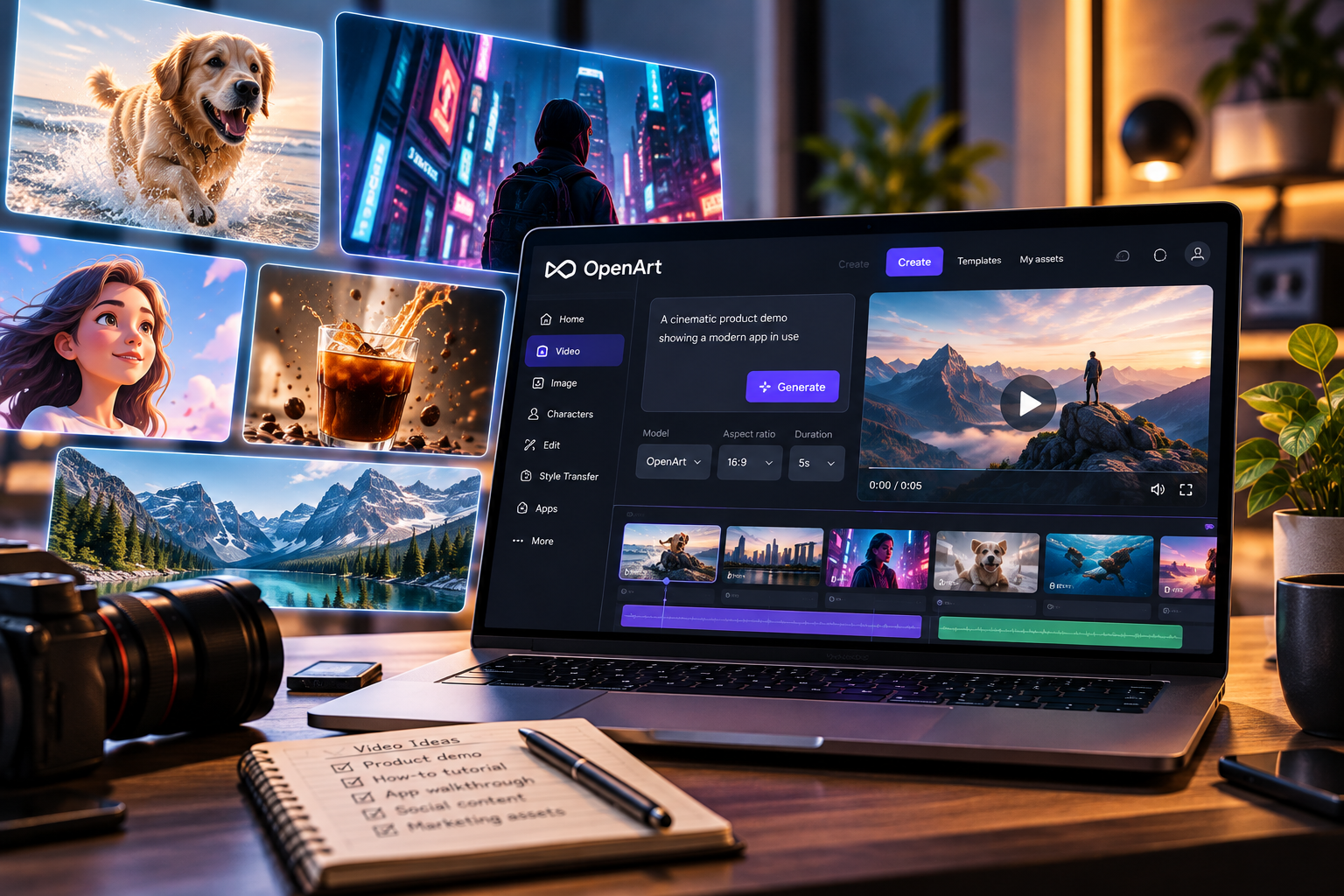
OpenArt Review: Can One Platform Streamline Your Video Workflow?
Enterprises and creative agencies are urgently seeking platforms that minimize creative bottlenecks and eliminate outdated handoffs. This OpenArt review thoroughly examines whether OpenArt genuinely centralizes video and generative image workflows, expands creative control, and delivers cost efficiency—or if the hidden friction and plan limitations outweigh the benefits for serious production teams.
The Case for a Shared Image and Video Workspace
A unified workspace like OpenArt aims to centralize all assets, reducing the silo effect plaguing distributed creative teams. In deployments I’ve audited, configuration usually starts with SSO or OAuth integrations—expect compatibility with Google Workspace and Microsoft AD, but note limitations with niche IdPs. API-based asset syncing with DAMs like Bynder or Adobe Experience Manager remains limited; bulk drag-and-drop is still dominant for historical media migration.
Granular Asset Collaboration:
- Live shared boards: Users simultaneously comment on images, videos, and prompt iterations.
- Asset-level permissions: You can restrict downloads and sharing, but role-based granularity is less advanced than enterprise DAMs.
- Automatic versioning: All iterations (prompt changes, video renders, upscales) are logged. Integrations for external version histories (e.g., Git, Figma) are absent.
Critical Trade-offs:
- Centralization brings visibility, but advanced search, taxonomy, and metadata are rudimentary compared to established DAMs. Tagging is fast but lacks support for custom schemas or API-driven ingestion from other platforms.
- User onboarding is quick (<30min for most teams), but the lack of bulk RBAC assignment is a pain for organizations over 100 users.
Looking Forward:
- Potential AI asset-sorting and auto-tagging features may bridge current DAM gaps in the next year.
- Expect competition from entrenched hybrid DAM-GEN systems (Adobe, Canva) to accelerate, pushing OpenArt to expand integration support and taxonomy flexibility.
Video Model Access and Plan Restrictions
One of the greatest sources of confusion and workflow friction in this openart review involves model access (especially for video). OpenArt segments major video models (Stable Video, Sora-style text-to-video, reference image-to-video) by tier:
| Plan | Video Models Available | Daily Render Quota | Export Quality | Commercial Rights | Team Access Control |
|---|---|---|---|---|---|
| Free | Stable Video Diffusion (SD), select unlocked models | 10 (low-res) | 720p | No | Single-user |
| Pro | All SD + Premium models, some new beta releases | 50-200 (varies) | 1080p | Limited (non-exclusive) | Up to 10 users |
| Enterprise | All present/future models, priority queue | Negotiable (+priority rendering) | 2K, 4K if available | Yes (full, for team) | Unlimited (SSO, SCIM provisioning) |
Integration/Onboarding Issues: API endpoints for direct video model use are under development—currently, most teams must use the web portal and bulk export via UI. This stifles automation options and limits compatibility with cross-stack tools (e.g., Zapier, custom render queues).
Feature Details:
- Model selection is manual; context-aware recommendations for best model/preset are lacking.
- No persistent links to third-party editing suites, making it slow for advanced post workflows.
- Exports can bottleneck during public model releases; expect queue delays unless on highest tiers.
Long-Term Outlook:
- Greater model diversity and on-premises/private cloud deployment are likely for compliance-conscious businesses by end of 2025.
- Sustained GPU demand spikes could maintain or worsen render queue friction unless OpenArt upgrades orchestration at scale.
Moving From Reference Images to Video
Transitioning from image-driven prompts to video sequences is where OpenArt tries to differentiate. The workflow centers on turning uploaded visual references or generated stills into animated sequences using either prompt-based motion inference or reference-guided transformation.
- Process: User uploads an image or picks from a prompt gallery, refines prompt, selects video model (SD, Story Mode, Anime). Output is previewed inline; iterative changes flow by duplicating and re-editing baseline prompt.
- Limitations: Prompt granularity is relatively “fuzzy”—details like fine hand movement, lip sync, or background consistency still require repeated tweaks.
- Conversion: Native aspect ratio and length stretching are possible, but complex transitions (scene changes, camera logic) depend heavily on prompt luck and current model maturity.
Risks/Trade-offs:
- The speed is unmatched—creation can be <2 minutes, but quality control for enterprise use (ad framing, narrative sequence) is unpredictable.
- No direct timeline export to tools like After Effects; best suited for generative ideation, not ready-for-air production cuts.
Emerging Trends:
- Expect prompt-to-storyboarding, motion path AI, and editable, keyframe-based video AI (“Gen-2+”) by late 2024, shrinking the manual clean-up window for marketing and agency teams.
Character and Brand Consistency
Maintaining visual identity across hundreds of generative assets is a persistent friction point in combined image/video tools. OpenArt offers “Character Locker” and “Brand Profile” features:
- Character Locker: Users upload image sets to “lock” unique faces, bodies, or mascots. Repeated training on small datasets (<20 shots) is fast, but still struggles in complex perspective or lighting scenarios, especially for video consistency across rapid scene changes.
- Brand Profile: Stores logos, color palettes, and typography presets for prompt templating. Sync with Figma or external brand guidelines is manual (upload/download), not live-linked via API.
Feature Details and Workarounds:
- Character re-use: In video, even locked characters can morph unexpectedly if prompt is underspecified or the reference set is low-diversity.
- Brand application: For overlays, watermarking is one-click; for integrated brand cues in video, prompt-pinning helps, but lacks in-context preview before rendering.
Hidden Costs:
- Ensuring consistency may require dozens of micro-iterations, eating credits and time. Some teams resort to “prompt cookbooks” or external notepads to track tested phrasings—a workaround emblematic of maturity limitations in AI asset consistency as of Q2 2024.
What’s Next? Hierarchical prompt templates, “visual fingerprint” indexing, and AI-driven brand compliance checks are imminent—expect a leap in reliability, narrowing the gap versus live-action asset reuse.
Prompt Refinement and Creative Iteration
Prompt editing is the creative engine behind OpenArt, but it’s also a source of significant user friction. The current iteration flows look like this:
- Start with base prompt, review result, hit “Modify” or “Rerun,” update language, tweak parameters (seed, resolution, motion style), and regenerate.
- Side-by-side comparison is supported, but only two at a time, limiting batch review for teams with more than 10 iterations per asset.
- Prompt history is persistent, but tags/comments are attached to the entire prompt, not individual prompt tokens or video frames.
Workflow Nuances:
- No “prompt A/B testing” automation; all versioning is manual, which slows large projects.
- Feedback-to-generation loops (e.g., auto-apply client suggestions or check legal compliance before rerun) are not live-connected—export/import remains the norm.
Notable Limitations:
- The lack of parameter locks means accidental edits can reset seeds or style settings mid-project.
- No API-triggered batch runs; agencies needing rapid test campaigns at scale must script with browser automation instead of official SDKs.
Futureproofing: Prompt libraries, shared team templates, and “smart” AI prompt optimizers (proactively highlighting prompt risks, fixing ambiguity) are likely before 2025—critical for larger design and production teams.
Organising Assets and Production Handoffs
The promise of eliminating folder sprawl and email handoffs is partially realized, but some clunkiness persists:
- Project Structure: Nested folders by project/campaign/scene with visual thumbnails; asset limits per folder are generous, but not “infinite.”
- Bulk Tagging: Tagging supports keyword and auto-labels (scene, mood, camera type), but lacks custom taxonomy or integration with enterprise eDiscovery tools.
- Export/Handoff: Supports bulk ZIP, direct link sharing, single-click transfer to cloud storage (Google Drive, Dropbox).
Integration and Hidden Frictions:
- No real-time integration with project management tools (Asana, Jira), meaning asset status updates must be tracked manually or via periodic exports.
- Metadata is limited to OpenArt’s schema; users wanting extensible metadata (for compliance, legal review) may need additional middleware.
Forward Trajectory: Expect partnerships or APIs for real-time sync with MAM/DAM, and likely improved support for industry-standard metadata schemas in late 2024—vital for enterprises in highly regulated sectors.
Credit Usage and Subscription Tradeoffs
Credit management is a linchpin issue for scale teams, as models and output formats carry vastly different costs. Here’s how OpenArt’s credit system impacts workflows:
- Credit Types: Image, video, upscaling, dedicated render queue, each with different burn rates.
- Enterprise Options: Can negotiate monthly or annual bulk rates; unused credits can sometimes be rolled over or top-upped, but most standard plans are “use it or lose it.”
- Team Allocation: No sub-budgeting or per-user quotas. Power users can exhaust a team’s pool, and access locks until the overall plan resets or upgrades.
Feature Impact:
- Real-time dashboard shows current usage but lacks predictive burn forecasting (e.g., “likely depletion date based on current velocity”).
- No approval workflows for top-ups; budget expansion may require admin intervention, slowing urgent projects.
Critical Trade-offs:
- Economical for creative explorations and short campaigns, but potentially expensive for ongoing enterprise production unless on volume contract rates.
- Rigid tier caps can cause workflow stalls—especially during product launches requiring hundreds of assets within days.
Anticipated Developments: Expect more granular budget controls, in-tool purchase approvals, and forecast widgets—possibly with AI budget optimization—by early 2025.
Commercial Rights and Upload Privacy
Commercial licensing and data privacy are increasingly scrutinized in creative AI. OpenArt provides transparent, but sometimes restrictive, licensing by plan:
| Plan | Asset Rights | Data Retention | Upload Privacy | Third-Party Takedowns |
|---|---|---|---|---|
| Free | Personal use only | 7 days (may be deleted anytime after) | Public unless marked private | Possible auto-share to OpenArt gallery |
| Pro | Non-exclusive for client projects | 60 days (option to delete early) | Private by default | Manual takedown request |
| Enterprise | Full commercial, exclusive on request | Customizable (SLA) | Always private, data silo optional | Contract-protected removal |
Upload Privacy Risks: Free and Pro users must manually opt out of public sharing. Enterprise can enforce strict private upload and sectoral compliance (GDPR, CCPA), but this requires custom configuration.
Feature Gaps: No live plagiarism/duplication scan before export, so risk of asset overlap or accidental “public leak” remains.
Next-Gen Compliance: Look for upcoming features such as AI-powered duplicate detection, live copyright registry sync, and auto-expiry for risky uploads.
Workflow Gaps and Hidden Friction
Beyond the “headline” features, production users will hit snags, including:
- Batch Limitations: No official batch actions (mass renders, mass prompt edits); growth teams must use workaround scripts or browser automation.
- API Gaps: Programmatic access is dicey—REST API is in early beta, missing documentation for key endpoints (model runs, credit management, user administration).
- Live Collaboration: Real-time multi-editor workspaces are “serial” (one active editor at a time), unlike Figma (true concurrent editing).
Unseen Trade-offs:
- Pace of innovation outstrips documentation—new models and features can roll out before full support resources are available, causing “silent” breakage in some flows.
Foresight: Next 12 months will force OpenArt to close these loops or risk enterprises turning to more full-featured, slower-moving legacy vendors for guaranteed delivery and reliability.
Who Should Consider OpenArt?
This openart review finds OpenArt best fits the following business profiles:
- Creative agencies producing short-form, high-iteration marketing content with strong need for generative diversity and limited repeatability requirements.
- Startups needing rapid creative prototyping with minimal IT friction, and comfort with SaaS-centric controls.
- Enterprise design teams pioneering generative workflows—but typically only for pre-production or exploratory content, not high-stakes, multi-stakeholder brand campaigns.
Consider Other Platforms If:
- You require tight integration with established DAM/MAM systems, legal hold, custom metadata, or deep API batch access.
- Your asset production must meet SOC2/ISO 27001 audit standards from day one, or you have extreme uptime/latency needs for content at scale.
Final Assessment: OpenArt is a best-in-class playground for creative teams and a strong front-runner for SMEs. For Fortune 500s and regulated industries, it’s a fast-moving supplement, not a DAM or media backbone—yet.
Read our OpenArt review to assess video model choices, image-to-video workflows, credit costs and production tradeoffs for creative teams.