How to Separate POS Systems and Guest Wi-Fi With VLANs — The Ultimate Guide for Business VLAN Setup
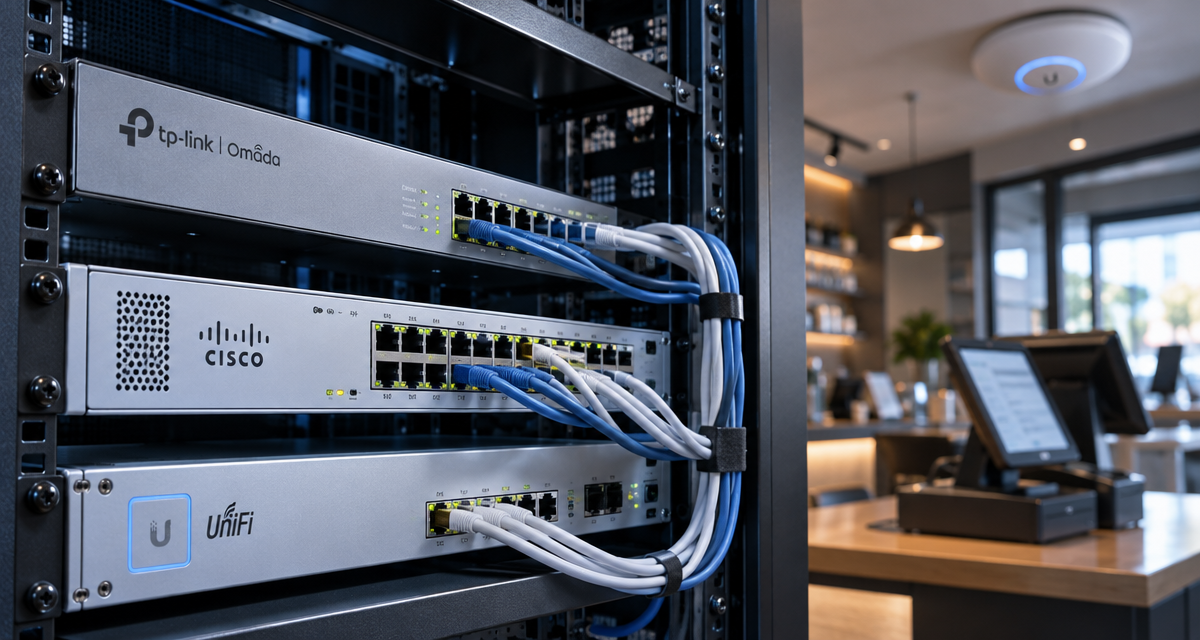
Any Singapore retail or F&B operator evaluating a robust business VLAN setup faces a complex landscape. Securely isolating critical POS systems from guest Wi-Fi and employee devices demands much more than basic wireless segmentation. Whether deploying TP-Link Omada, Cisco Catalyst, or Ubiquiti UniFi as your primary stack, each platform offers distinct trade-offs in control, scalability, and friction during rollout. This guide delivers the end-to-end strategies, feature breakdowns, and critical warning signs for achieving true VLAN isolation for POS and guest networks in the Singapore commercial environment.
Define Network Segments for Singapore Retail and F&B Businesses
A credible business VLAN setup always starts with precise network segmentation based on real-world business needs rather than abstract IT guidelines. The three core segments every Singapore F&B or retail business must define include:
- POS VLAN: For card readers, e-invoicing units, EFTPOS terminals; must comply with PCI-DSS security standards.
- Staff Device VLAN: Phones, tablets, PCs used by employees or managers for operations and reporting.
- Guest Wi-Fi VLAN: Open access for customers — strictly limited, tightly isolated, rate-limited for bandwidth control.
Implementing multiple VLANS across TP-Link Omada, Cisco Catalyst, or Ubiquiti UniFi exposes integration friction:
- API and Controller Sync: Omada struggles if mixing hardware generations; older devices can break VLAN propagation. UniFi can lag in guest device recognition if cloud management is interrupted. Catalyst offers the most granular CLI control, but its complex syntax increases onboarding time, especially with support handovers.
- Onboarding Speed: Initial network discovery is slowest on Catalyst for non-native technicians versus plug-and-play options like UniFi or Omada.
- Cenntralized portal for VLAN mapping; can auto-detect device types but tagging must be manually enforced for legacy POS hardware.
- UniFi: Visual network topology maps make it simple to audit device/vlan assignments, but advanced custom segmentation (e.g., isolating staff subgroups) often requires CLI scripts or JSON config.
- Catalyst: Most advanced ACL and 802.1x options, but every VLAN change needs change requests; high risk of misconfiguration during holidays or roster changes.
The Hidden Trade-Offs
- Ease Versus Assurance: Omada and UniFi cater to SMBs seeking speed, but less direct audit logging than Catalyst.
- Manual Auditing: Catalyst is favored by enterprises for its explicit audit trails, but this comes at the cost of agility and higher consulting fees.
Future-Proofing Analysis
- AI-Driven Threat Detection: UniFi and Omada are rapidly integrating AI-based anomaly detection (e.g., flagging unusual guest traffic bursts) while Catalyst focuses on predictive analytics for switch failures and port misuse.
- Regulatory Trends: Singapore’s PDPA revisions may soon mandate even tighter segment–to–segment firewalling, forcing all three platforms to update their compliance dashboards within the next 18 months.
Separate POS and Staff Devices From Guest Access
Physical separation is not enough. A business VLAN setup must force digital separation so that a guest smartphone cannot scan a payment device or download sensitive back-office data. The correct
workflow often includes:
- Defining VLANs at both switch and wireless controller levels.
- Ensuring POS VLAN uplinks only have internet and payment gateway egress — with all other traffic denied.
- Configuring staff VLAN to allow business system/cashier access, but blocking access from the guest VLAN to these segments entirely.
Technical Friction
- Client Isolation: UniFi requires explicit guest isolation toggles; if missed, guests can scan ARP tables for staff laptops. Omada’s MAC-based isolation is less reliable across mixed vendor environments (e.g., when guest APs are not Omada-branded).
- Legacy POS: Many legacy POS devices lack 802.1x support, forcing VLAN assignments by port or MAC (which can be spoofed if a device is lost/stolen).
Feature Teardown
- UniFi: “Guest Control” dashboard allows captive portals and access rules for each SSID, but shared APs sometimes misroute DHCP offers under heavy load.
- Omada: Segregates VLANs at SSID and wired port levels; dashboard clearly visualizes linked clients. VLAN overrides can be set per AP port but not per individual client.
- Catalyst: Offers deep segmentation; multi-auth support allows dynamic role assignment (POS vs Guest) per port — but significant training is required for staff to maintain these rules after initial deployment.
Trade-Offs
- Vendor lock-in vs. flexibility. Omada/UniFi are fast for single-brand sites, but Catalyst supports hybrid topologies — at the cost of greater onboarding friction and higher TCO.
- More controls almost always mean more ongoing maintenance as staff/branch turnover rises.
Future-Proofing Analysis
- Expect unified policy engines in UniFi and Omada within 1–2 years — automating guest vs. POS vs. staff isolation as devices authenticate, reducing operator error.
- Anticipate deeper identity-based segmentation as cloud-managed platforms catch up to Catalyst’s mature network access controls, especially for PCI-DSS environments.
Plan VLANs and IP Address Ranges
Effective business VLAN setup requires clear, documented VLAN ID and IP planning. Common patterns in Singapore F&B setups:
- VLAN 10 — POS Devices (e.g., 10.10.10.0/24)
- VLAN 20 — Staff Devices/Back-Office (e.g., 10.10.20.0/24)
- VLAN 30 — Guest Wi-Fi (e.g., 10.10.30.0/24), often with higher subnet mask to restrict guest headcount
Technical Friction
- Catalyst: Allows per-port granular IP helper and DHCP relay but requires explicit ACL setup for each new VLAN.
- UniFi/Omada: Handle subnet assignment via web UI, but DHCP options are less customizable (e.g., can’t easily specify custom option 150 for some IP phones).
Feature Teardown
- UniFi: Auto-suggests non-overlapping subnets and lets you reserve fixed IPs for critical endpoints through the UI; network visualization highlights mis-routed devices instantly.
- Omada: One-click VLAN-to-subnet mapping, but longer propagation times mean config changes can take 2-5 minutes to finalize across a large estate.
- Catalyst: Supports up to 4094 VLANs in a stack, with full route-mapping and customized DHCP scopes for advanced environments — but onboarding time increases linearly with site scale.
Hidden Trade-Offs
- Planning ample subnet space for future device growth is crucial, as expanding an existing VLAN’s IP range often breaks legacy POS terminal connectivity.
- Small businesses may rely on UniFi/Omada’s guided planning, but larger or multi-site operators must build supplemental IPAM workflows — Catalyst remains king here.
Future-Proofing Analysis
- Expect both Omada and UniFi to improve API access for address management, facilitating dynamic IPAM solutions that proactively warn of exhaustion or misallocation.
- Automated, AI-driven IP reallocation (to prevent conflicts) is beginning to surface in high-end Catalyst platforms, but mass adoption is likely 18–24 months away for the SMB market.
Configure Switch Ports and Wireless Networks
Robust switch port configuration is where most business VLAN setup failures occur post-handover from professional IT vendors. Each device type (POS, staff, guest AP) must be matched to the right port-based VLAN profile:
- Assign dedicated access VLANs for wired POS units via switch port tagging.
- Map wireless SSIDs directly to VLANs on controllers.
- Deploy trunk ports only where inter-VLAN routing or multiple VLANs per AP is essential.
Technical Friction
- Omada: Automated port-VLAN assignments often miss devices that need legacy 802.1q trunk protocol support (e.g., older cash registers).
- UniFi: Easy GUI-driven setup, but APs can mistakenly bridge guest VLAN traffic onto staff VLANs if SSID-to-VLAN tagging is inconsistently applied especially after firmware updates.
- Catalyst: CLI provides unmatched granularity but increases error risk with complex port-channel or stacking configs.
Feature Teardown
- UniFi: “Network Insights” highlights misconfigured ports, helping staff spot guest-POS crossovers quickly.
- Omada: VLAN port profiles enable rapid deployment, but lack of per-port automation means manual cross-checking for every deployment.
- Catalyst: Full LLDP and 802.1x integration allows dynamic port assignment, but no “undo” UI for accidentally overwritten configs; rollbacks must be CLI-driven or reloaded from snapshots.
Hidden Trade-Offs
- Omada and UniFi’s simplicity can conceal errors that remain undetected for months (e.g., a single ‘all VLANs tagged’ mistake opening payment traffic to guest networks).
- Catalyst’s advanced features have a learning curve and require network engineers — often impractical for small units or outlets with high staff turnover.
Future-Proofing Analysis
- Both Omada and UniFi are rolling out AI-driven misconfiguration alerts that will highlight inconsistent VLAN/port mappings and prompt corrective actions without full IT intervention.
- Catalyst is moving toward integrating cloud-based configuration auditing, streamlining complex site roll-outs and error detection for large retail/F&B chains.
Set DHCP and Inter-VLAN Firewall Rules
DHCP scoping and inter-VLAN firewalling are the last lines of defense in any business VLAN setup. Incorrect DHCP relay config or over-permissive firewall settings are top reasons for PCI-DSS audit failures and data leaks.
Technical Friction
- DHCP: UniFi/Omada DHCP scope options are quick to set but lack support for all custom options needed by some POS systems (e.g., PXE boot, custom DNS search domains).
- Firewall: Omada and UniFi use web-based rulesets, but rely on correct rule order; Catalyst requires explicit ACLs, easier to audit but slower to update in busy ops windows.
Feature Teardown
- Omada: GUI-based VLAN firewall template rules can be cloned site-to-site; real-time rule testing is limited.
- UniFi: Visual drag-and-drop firewall rules aid rapid learning, but logs occasionally omit denied packets, complicating troubleshooting.
- Catalyst: Features stateful ACLs that can control complex access paths (e.g., POS->Payment Gateway->Internet only), but every change must be rigorously logged and peer-reviewed.
Hidden Trade-Offs
- Omada/UniFi: Lower learning curve, but risk of “allow all” guest–staff overlaps if rule order is faulty; Catalyst: less forgiving to config slip-ups, but more secure out-of-the-box.
Future-Proofing Analysis
- Expect all platforms to introduce AI-driven “policy drift detection,” flagging rules that are too broad, risky, or anomalous compared to industry norms.
- Advanced network segmentation for payment security compliance (Singtel/PSA-mandate ready) likely to be core to future controller firmware updates within 12–24 months.
Handle Shared Printers and Business Services
Many shops require shared printers, timeclocks, or business SaaS that must be accessible to both POS and staff VLANs — a classic business VLAN setup edge case.
Technical Friction
- Most cloud-managed stacks (UniFi, Omada) don’t handle “multi-VLAN join” for printers natively, requiring messy static routes or bridging exceptions.
- Legacy printers using NetBIOS or mDNS often fail discovery if broadcast relaying isn’t set; Catalyst handles this with IP helpers, but Omada/UniFi need supplemental mDNS relays.
Feature Teardown
- UniFi: Bonjour Gateway enables AirPrint/mDNS service bridging, but only for defined VLANs and not for all broadcast types.
- Catalyst: Full protocol relay customization, but requires CLI expertise and cross-team testing.
- Omada: Lacks deep discovery/proxy services, so workarounds often involve assigning printers to staff VLAN only and restricting access via firewall rules.
Hidden Trade-Offs
- Simplicity in Omada/UniFi often comes at the expense of complex multi-VLAN device support; Catalyst offers complete, but harder-to-maintain, cross-VLAN business service support.
- Legacy device compatibility often forces even advanced shops to keep a “flat” or loosely isolated secondary VLAN for printers, which can be a PCI-DSS risk if not firewall-isolated.
Future-Proofing Analysis
- AI-driven device discovery and VLAN-aware service proxies are beginning to emerge in both UniFi and Omada beta builds — these will reduce the need for manual VLAN bridging by late 2025.
- Expect rising pressure from payment industry audits for explicit documentation and tighter segmentation of business-critical shared services.
Test Guest Isolation and Payment Connectivity
Every rollout must end with penetration testing and POS transaction QC:
- Verify guest devices cannot “see” or ping any POS or staff devices beyond their VLAN gateway.
- Test POS units can reliably complete payment gateway transactions, with dropped or delayed packets triggering network events in logs.
- Validate captive portal effectiveness and end-to-end user experience, including failed payment or captive portal bypass attempts.
Technical Friction
- Omada: Lacks auto-generated penetration reports; relies on manual nmap/arp scans for validation.
- UniFi: Provides “Guest Isolation Test,” but does not auto-document log events; admins must export data for compliance proof.
- Catalyst: Allows fine-grained traffic mirroring for deep packet inspection, but requires external security appliances and is slower to configure for new sites.
Feature Teardown
- UniFi: Offers event-based email notifications for new unknown guest devices attempting VLAN “hops.”
- Omada: Basic traffic logging; deeper anomaly detection requires third-party SIEM integration.
- Catalyst: Supports multi-level logging, both CLI and SNMP/export format. PCI-DSS “test and verify” requirements can be fully automated.
Hidden Trade-Offs
- Small businesses may be tempted to skip or downplay isolation testing—this is a frequent source of card data breaches. Automated tools are improving but are rarely enabled by default.
- Tighter guest controls risk blocking legitimate guest traffic during payment events; always test for both security and business continuity scenarios.
Future-Proofing Analysis
- AI-driven continuous isolation and payment flow monitoring (already piloted in some UniFi Protect deployments) expected to standardize critical business VLAN setup testing by 2025.
Document Changes for Your IT Provider
Incomplete network documentation remains a massive operational risk. Every VLAN and firewall change — from staff onboarding/offboarding to POS upgrades — must be captured in a structured, provider-readable format.
Technical Friction
- UniFi and Omada provide exportable configuration snapshots, but granular (human-readable) change logs require third-party workflows or GIT integration.
- Catalyst supports detailed ‘show config’ exports, with Cisco Prime or DNAC centralizing history — but with greater setup cost and operational complexity.
Feature Teardown
- Omada: Change tracking is mostly tied to controller UI; JSON/XML exports needed for full audit trails.
- UniFi: Auto-generates backup files, but does not track named administrators per change unless coupled to UniFi Identity platform.
- Catalyst: Every CLI change can be logged and timestamped — but only if proper privilege separation is in place.
Hidden Trade-Offs
- Speed versus accountability: Quick, “friendly” web-based platforms suit fast-moving shops but risk undocumented critical changes, especially after IT provider handover.
- Catalyst’s rigid logging is powerful, but significantly slows down small, agile site deployments.
Future-Proofing Analysis
- Expect vendor-neutral, AI-driven change documentation that captures both config and business context embedded directly in cloud controllers, simplifying transition and audit readiness by late 2025 for most SMB platforms.
Quick Platform Comparison Table: VLAN Segmentation for Retail & F&B
| Platform | VLAN Setup Complexity | Business Size (Target) | Advanced Isolation | Change Documentation | Shared Device/Printer Support | Base Price (SGD, Retail) |
|---|---|---|---|---|---|---|
| TP-Link Omada | Low (Web GUI driven, moderate bulk actions) | 1–5 outlets | Decent (GUI rules, basic device profiling) | Config export, limited change history | Manual multi-VLAN, lacks full proxy features | $100–$500 per site |
| Ubiquiti UniFi | Very Low (Simple UI, guided setup) | SMB – Multi-branch chains | Good (Guest Control, isolation toggles) | Auto-backup, limited admin audit trails | Partial bridging, Bonjour Gateway for Apple, weak mDNS for other | $200–$1,000 per site |
| Cisco Catalyst | High (CLI/Enterprise GUIs, complex) | Multi-site, Enterprise, PCI shops | Best (802.1x, ACLs, multi-factor segmentation) | Full CLI history, exportable to SIEM | Protocol relays, full VLAN bridging via config | $1,000+ per site |
Summary: Getting Your Business VLAN Setup Right
- Design your VLANs to mirror business roles — POS, staff, and guests — rather than chasing IT best practices alone.
- Pick your stack based on existing IT skill sets, required compliance (PCI-DSS, PDPA), and future scalability needs.
- Test all isolation with real devices before go-live day, especially after any provider or firmware update.
- Document every change — from VLAN ID tweaks to firewall rules — and insist vendors hand over readable audit logs.
Plan a business VLAN setup that separates POS systems, staff devices and guest Wi-Fi with switching, addressing and access-control checks.