Business Networking Solutions in Singapore: Build Beyond Broadband
Singapore’s business environment demands highly reliable and scalable networking solutions due to dense office clusters, widespread remote work adoption, and the city’s position as a digital hub. A patchwork approach to networking—relying solely on broadband subscriptions or ad hoc routers—cannot support the operational rigor, cybersecurity expectations, or multi-site continuity that even mid-sized companies now require.
This comprehensive guide breaks down the technical, operational and business-critical considerations when building advanced network infrastructures in Singapore. From mapping out physical connectivity, separating internet and LAN, and future proofing with SD-WAN or SASE—all the way through hands-on cost modeling—this guide examines real workflows, limitations, and trade-offs with providers like MyRepublic Business, ViewQwest, and Cisco Meraki.
Map Connectivity Requirements Across Offices and Outlets
The starting point for any network deployment is a rigorous physical and operational mapping of each office, branch, and remote site. In Singapore, where many SMEs and regional headquarters operate from diverse real estate (from heritage shophouses to modern Grade-A towers), the network topology must accommodate:
- Number of Sites: Single office vs. multi-branch, cross-island operations.
- Critical Applications: VoIP, SaaS, CRM, video conferencing, secure remote access—each with unique latency, availability, and bandwidth profiles.
- Inter-branch Traffic: Are outlets self-contained, or must they share a unified resource (ERP servers, POS systems, file storage)?
- Future Expansion: Consider retail pop-ups, acquisition of new units, or new satellite offices—how rapidly can the current solution scale?
Technical friction typically arises from legacy internal cabling, old routers incompatible with VLANs or advanced QoS, and inconsistent support for IPv6 or dual-stack networks between locations. Direct fiber links (such as Gigawave or DWDM) might be justified for a multi-building campus, but are overkill for remote branches that may instead leverage managed SD-WAN or site-to-site VPNs.
Key limitation: A site survey is not optional. Floor layouts, building management restrictions, and service provider wayleaves (permission to run cable in buildings) can delay rollout by weeks, particularly in older or mixed-use developments. Always budget for field verification—even when ISPs quote “100% nationwide coverage.”
Separate Internet Access From LAN and Network Management
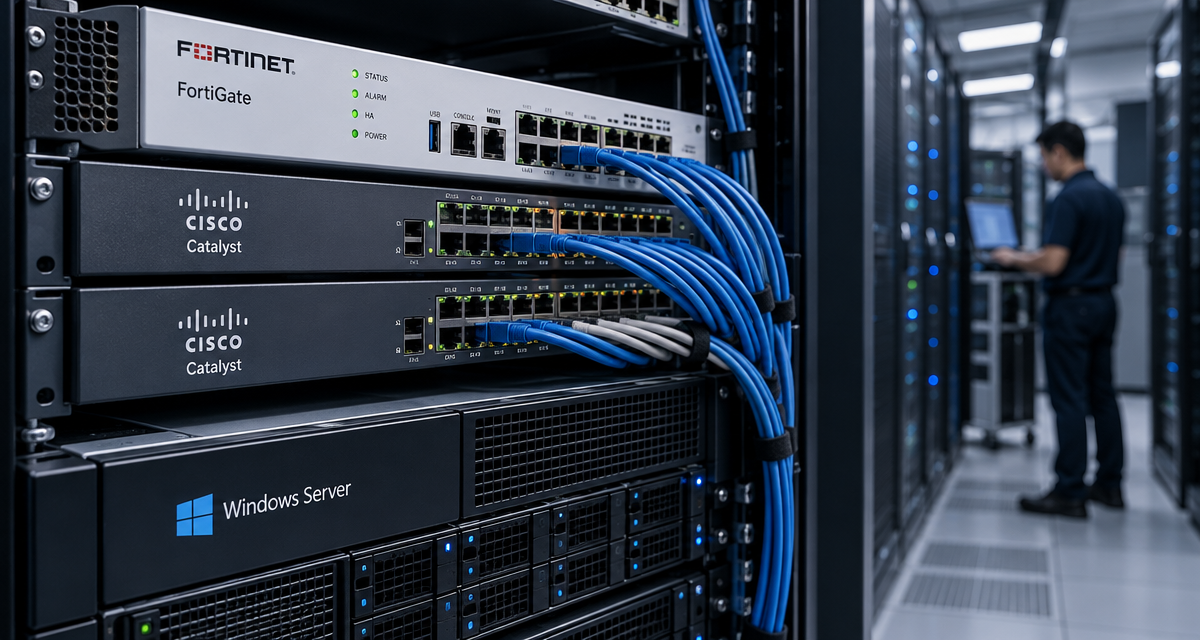
Modern network best practice dictates a clear separation between Internet/WAN traffic and the internal LAN used for business-critical applications, data storage, and device management.
-
Operational Workflow:
- Guest WiFi on a physically or logically separate VLAN and SSID.
- IoT devices (CCTV, printers) isolated from administrative endpoints via subnetting or microsegmentation.
- Centralized management (Meraki Dashboard, MyRepublic Cloud Controller) only reachable via secure channels (e.g. site-to-site VPN, RADIUS, or IPsec tunnels).
Technical friction is common. Many consumer-grade routers lack support for VLANs, proper DHCP relay, or advanced firewall policies. This leads to either ‘flat’ networks (everything connected with unrestricted visibility), or teams struggling with hacky port-based isolation that falls apart under moderate load. Attempting to add managed switches and wireless controllers in a piecemeal fashion often results in nonstandardized configurations and poor visibility in troubleshooting scenarios.
- Trade-Off: Enterprise-grade separation increases upfront configuration complexity, requires better-trained IT staff—or, more realistically in Singapore, a managed service partner on retainer. The security payoff, however, is non-negotiable for regulatory compliance and risk management.
Assess Business Broadband and Dedicated Internet Access
Choosing between shared commercial broadband and dedicated business-grade internet is not as straightforward as it may seem, especially in a saturated market like Singapore.
| Option | Provider Examples | Typical Speeds | SLA/Uptime | Symmetric? | Target Business Size | Installation Time | Indicative Cost (SGD/month) |
|---|---|---|---|---|---|---|---|
| Business Broadband (Shared GPON, VDSL) | MyRepublic Business, ViewQwest | 500Mbps–1Gbps | 99.0%–99.5% | No (Upload often limited) | Small offices, Retail | 2–10 business days | 80–200 |
| Dedicated Internet Access (DIA, Leased Line) | ViewQwest, Singtel, StarHub | 10Mbps–10Gbps | 99.9%–99.99% | Yes | Mid/large, high-traffic, HQs | 3–6 weeks | 400–2000+ |
| Hybrid (SD-WAN Aggregation, Failover) | Cisco Meraki, custom MSPs | Multiple links combined | 99.99% (with failover) | Usually | Multi-site, resilient operations | 4–10 days (overlay only) | 200–400 (excl. lines) |
Technical dependencies abound: SLA enforcement depends not only on the ‘last mile’, but also BGP routing policies, DNS resilience and even peering quality with major cloud platforms (AWS, Azure, Google). Bandwidth may be constrained by older ONTs or run-to-ONT distance for gigabit plans. Failover (4G/5G backup) is mandatory for high-availability sites, but requires compatible routers and preconfigured rules—for example, in Meraki’s MX series or MyRepublic’s managed gateways.
- Be wary: “Business fibre” is not always uncontended. True dedicated lines (with g.703/g.704 handoff and enforceable CIR) cost far more but are essential for latency-sensitive or regulated workloads.
Plan Office Cabling and Wireless Coverage
Cabling, far from a one-off fit-out cost, is frequently the source of chronic performance and support issues. Singapore’s strict building codes, fire wall penetrations, and BCA telecommunications riser rules make professional, structured cabling essential—but many small office fit-outs cut corners with exposed, unshielded Cat5e or run WiFi everywhere out of convenience.
-
Cabling:
- Category 6 (or 6A+) for Gigabit/2.5G/5G access
- Patch panels, proper labeling, and documented runs—from MDF (main distribution frame) to IDFs (intermediate floors)
- Fiber uplinks between equipment rooms for future 10Gbps+ needs
-
Wireless:
- Enterprise APs (e.g. Cisco Meraki MR, Aruba, Ubiquiti Unifi)—not home mesh kits.
- Site survey tools (Ekahau/NetSpot) to map out RF interference from concrete, neighbor SSIDs, and microwaves.
- Band steering, load balancing, and auto-channel assignment for high density.
Avoid the temptation to rely solely on wireless for everything except the smallest offices—wired backhaul ensures printers, workstations and collaboration devices don’t cannibalize precious airspace.
Compliance warning: BCA and landlord fire auditors may require signed-off as-built diagrams especially for fiber or trunk runs. Plan these early to avoid costly remedial works or delays at tenancy handover.
Evaluate Managed Networking From MyRepublic Business
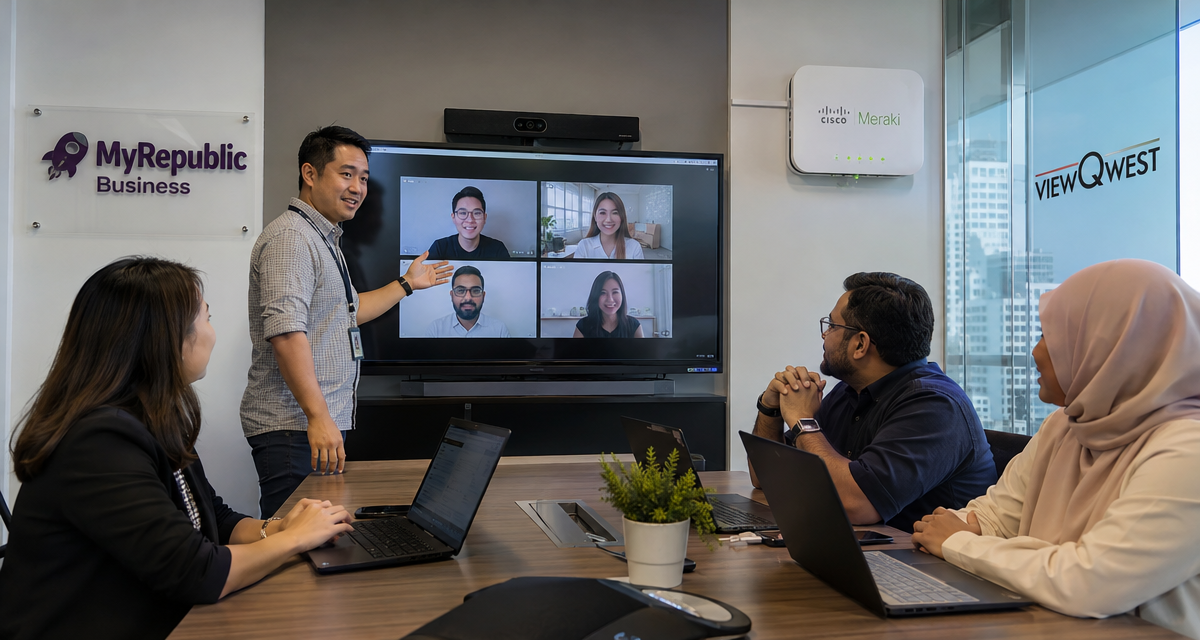
MyRepublic Business has rapidly evolved from a consumer ISP to a business service provider, offering managed routers, SD-WAN overlays, dedicated bandwidth, and cloud-managed WiFi. Their core value proposition is brute simplicity—one bill, predictable SLAs, and no need for in-house CCNA-level skills.
-
What Managed Networking Offers:
- Pre-provisioned gateways with appropriate VLAN, firewall, and QoS policies, ready for plug-and-play site deployment.
- Centralized monitoring—customers get dashboards for basic visibility, though granular control may be limited by managed service wrappers.
- Integrated failover (dual broadband or 4G backup) and rapid hardware RMA.
Real-world trade-off: While onboarding is smoother than DIY (reduced troubleshooting of layer-2 issues, predictable network behavior), advanced users or companies with specific regulatory needs may be frustrated by limited customization—certain ports or protocols may not be user-configurable, and integrating third-party security appliances is rarely supported.
| Key Criteria | MyRepublic Managed Networking | DIY/Unmanaged Solutions |
|---|---|---|
| Time to Deploy | Fast, typically 3–5 days | Variable—often delayed by setup errors or component mismatch |
| Configuration Access | Limited (ISP sets policies) | Full—at the risk of misconfiguration |
| Cost | Bundled, slightly higher monthly cost | Lower OPEX, but higher risk of maintenance costs |
| Troubleshooting & Support | 24/7 ISP NOC, on-site engineer dispatch | Internal IT or third-party break-fix providers |
| Future-proofing | Depends on provider’s roadmap | Full flexibility, but must handle upgrades/patches |
Examine ViewQwest Managed SASE and SD-WAN
ViewQwest brings SASE (Secure Access Service Edge) and SD-WAN (Software-Defined Wide Area Network) to Singapore SMEs previously priced out of such stacks. Their managed offerings combine:
- Cloud-delivered security (Zero Trust Network Access, firewall as-a-service, CASB)
- Overlay SD-WAN aggregating multiple Internet links across sites, with intelligent path selection and central policy enforcement
How it works:
- Edge appliances deployed per site, connecting to ViewQwest’s backbone with IPsec/GRE tunnelling.
- All management interfaces are cloud-based, with granular access controls by OU/department.
- Integrated DLP, threat intelligence, and endpoint posture enforcement—much stronger than legacy firewalls.
Technical friction: Many organizations underestimate onboarding complexity—shifting from traditional router/firewall stacks to SASE means data flows radically differently, with breakout policies for trusted SaaS, rule conflicts for overlapping VLANs, and DNS issues during initial rollout. Legacy on-premise applications (e.g. finance or HR running on an internal server) may need explicit whitelisting and careful NAT traversal, or risk business interruption during migration.
-
Trade-Off:
- Maximum security and remote-access flexibility, but less on-site technical control. All layers (WAN, firewall, SSO, endpoint compliance) are interdependent—troubleshooting sometimes requires working directly with the MSP’s engineering team, not just local IT support.
- Pricing is pay-per-site or per-user, OPEX-focused, with significantly reduced capex/update burden.
Compare Hardware Ownership and Configuration Access
Hardware “ownership” and configuration rights divide business network deployments into two functional camps: Capex-intensive, fully owned solutions (e.g. buying enterprise Cisco or Aruba gear outright), versus OPEX-based managed services where the ISP or MSP retains device control.
| Model | Capex/Opex Split | Configuration Freedom | Vendor Lock-In | Upgrade Cycle | Typical Scenarios |
|---|---|---|---|---|---|
| Fully Owned (DIY) | High initial capex, low recurring costs | Unrestricted, but requires in-house skill | Low if multi-vendor interoperable gear used | Needs periodic review, self-managed patches | Large enterprises, regulated industries |
| Leased / Managed Hardware (e.g. MyRepublic, ViewQwest) | Low capex (bundled), higher monthly OPEX | Limited—must follow MSP configs/policies | Higher, as hardware is tied to service contract | Upgrades handled by provider, usually at contract renewal | SMEs, branch-heavy businesses |
Hidden trade-off: While managed hardware ensures smooth support and rapid RMA, you’ll forfeit access to low-level logs, advanced firewall strings, or custom routing rules when relying on some providers. For scenarios where you must audit every configuration change (e.g. MAS/PDPA compliance, penetration testing), full hardware access may be non-negotiable.
Define Monitoring and Support Responsibilities
Responsibility demarcation is a frequent pain point during outages or performance degradation—who actually owns fault isolation, escalation, and remediation? Managed service providers like MyRepublic or ViewQwest promise “single point of contact” support, but the reality depends heavily on contract specifics:
- Does the support include all edge devices, or only core WAN links?
- What monitoring intervals are used—proactive (with VLAN and RF metrics) or passive (only up/down status)?
- Are third-party SaaS interruptions (Microsoft 365, Salesforce) classified as network or application issues?
Operationally, Meraki Dashboard sets the gold standard for real-time network visibility—granular health monitoring, alerting down to the port, packet loss percentage, live topology maps, and automatic cloud-based firmware patching. By contrast, some ISPs offer only ticket-based status portals or monthly SLA summaries, which are effectively useless for real-world troubleshooting.
-
Key Limitation:
- Some MSPs retain top-level admin privileges and provide only “view” access to the customer—fine for everyday users, but restrictive for advanced troubleshooting (e.g. tracing ARP storms, debugging DHCP lease exhaustion).
- Contractual response times (e.g., 4- or 8-hour hardware replacement) matter more than generic 24/7 hotlines, especially for businesses where downtime translates to substantial financial risk.
Assess Installation Dependencies and Migration Downtime
Any network overhaul—be it broadband upgrade, new office setup, or migration to managed SD-WAN—comes with hidden dependencies. These are sometimes underestimated by IT or business decision-makers:
- Physical Readiness: Power points, rack/cabinet space, humidity control for patch cords; landlord or BCA sign-offs, especially for core drilling or fiber riser access.
- Porting and Cutover: For businesses moving sites or switching service providers, number ownership (fixed lines) and static public IP migration involve careful scheduling. Breaches in lead times (often 10–15 working days with telcos) mean service gaps.
- Live Data Flows: Businesses reliant on 24/7 operations (F&B, retail PoS, e-commerce fulfillment) cannot absorb even 30 minutes of planned downtime. Hot cutovers, temporary dual-cabling, and staged migration (site by site, VLAN by VLAN) reduce operational risk but increase setup costs.
Practical example: In Meraki-based deployments, ‘virtual stacking’ lets you configure offline switches ahead of time, allowing rapid plug-in-and-go migration. By contrast, legacy (non-cloud) equipment often requires a complete outage window for manual configuration on site.
Always demand a rollback and contingency plan from your MSP before any major cutover—if migration stalls at 2am, will your business be back online by 8am?
Calculate Total Costs and Build Your Shortlist
Total cost of ownership (TCO) must account for more than just upfront hardware and monthly subscription fees. For a robust business networking solution in Singapore, factor in the following:
- Internet circuit subscription (broadband, DIA, or SD-WAN overlays)
- Hardware (router, firewalls, switches, APs)—purchase, lease, or OPEX bundle
- Installation and cabling (site survey, fit-out, contingency for additional pull runs)
- Managed service costs (monitoring, support, SLAs)
- Redundancy (cost of cellular backup, 2nd site failover, dual power supplies)
- Annual renewal/uplift clauses and potential penalty fees for early contract termination
- Staff training and post-implementation troubleshooting (including “shadow IT” fixes if users perceive slow WiFi or blocked services)
To build your shortlist, use the following decision matrix:
| Requirement | MyRepublic Business | ViewQwest SASE/SD-WAN | Cisco Meraki (Direct/Partner) |
|---|---|---|---|
| Simple, SME one-office setup | Best fit; managed bundle | Overkill unless security needs are high | May be costly/overkill |
| Multi-site + Unified Policy | Good if only broadband required | Ideal—central policy/interface | Excellent with in-house IT |
| Strict compliance (e.g. MAS/PDPA) | Limited controls | Strong compliance, audit-ready logs | Full, but requires on-site expertise |
| DIY/Tinker flexibility | Low | Moderate (policy-based) | High (full stack access) |
| Lowest TCO long-term | Good for short-medium term | Best for rapid scale | Best if hardware lifecycle >4yrs |
Always demand explicit, upfront pricing—and request test access or trial deployments where possible, especially for 10+ user, multi-site, or complex wireless environments. Document not just recurring costs but also “hidden” expenditure (overage charges, RMA surcharges, premium support escalations).
Summary: Building Beyond Broadband in Singapore
Choosing and deploying business networking solutions in Singapore requires much more than a “plug in and forget” mindset. Robust mapping of connectivity, intentional security separation, careful trade-off between managed and DIY management, and brutal realism about operational dependencies are all needed to ensure continuity and future scalability. Benchmark every solution not just by monthly price, but by how operational it remains under failure, how quickly it evolves with your business, and whether it grants enough control to meet either compliance or innovation needs. The right partner—whether MyRepublic, ViewQwest, Cisco Meraki or hybrid—should anticipate your future offices and platforms, not just today’s user count.