Secure Remote Access for Singapore Offices: A Practical Setup Guide
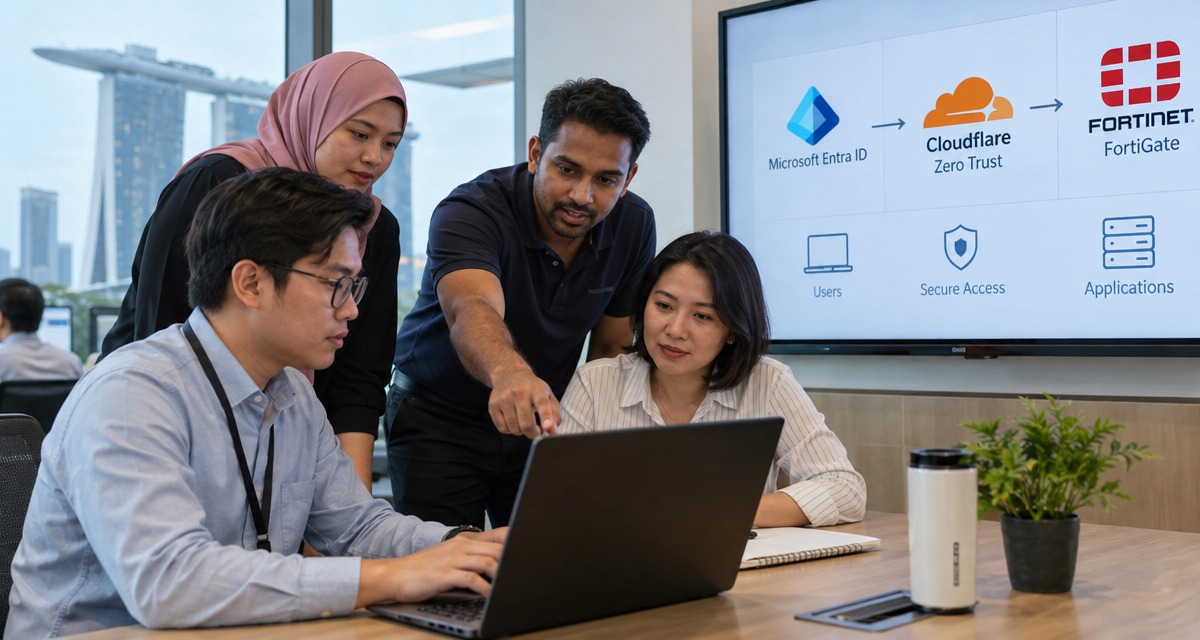
Modern Singaporean businesses face strict regulatory requirements and intense cyber threats, making secure remote access both a necessity and a major operational risk. Whether enabling hybrid work for employees, managing overseas contractors, or supporting dynamic regional expansion, IT leaders must create resilient, auditable, and user-friendly access frameworks. This guide offers a granular, vendor-neutral blueprint for designing and executing secure remote access for offices in Singapore, with targeted analysis of technologies from Microsoft Entra ID, Cloudflare Zero Trust, and Fortinet FortiGate.
Define Access Needs for Employees and Contractors
Identifying precise access requirements is the cornerstone of every secure remote access project. This strategic phase reduces risk by mapping permissions to genuine business needs and compliance obligations—especially pertinent for Singapore, where PDPA (Personal Data Protection Act) sets high standards for data minimization and auditability.
- Employee segmentation: Differentiate core staff (permanent, trusted, long-term) from temporary, project-based, or third-party resources. Permanent employees may require broad application suites and network access, while contractors often get application-level or time-bounded permission sets.
- Role-based mapping: Establish explicit roles—finance, HR, IT admin, project manager, developer, etc.—and enumerate least-privilege resource requirements for each.
- Business context: Do you need to support remote developers needing access to code repos, HR processing sensitive payroll data from home, or auditing teams working with client files overseas? Regulatory obligations (finance, legal, healthcare) mandate stricter role demarcations.
- Geographic permissions: Overseas contractors need flexible, region-aware policies. Some SaaS vendors (Microsoft, Google) restrict access based on geofencing; Singapore-based workloads must also consider cross-border data regulations.
Technical friction surfaces here: Many midsize organizations attempt to shoehorn all users into the same VPN or cloud application roles, leading to permission creep and audit complexity. Custom role definitions may require direct API integration with HR, contractor management, or project-tracking platforms before onboarding can be automated.
This groundwork determines which later steps—such as SSO, multi-factor authentication enforcement, or firewall rule design—will actually deliver value without hindering legitimate productivity.
Inventory Office Applications and Cloud Services
Remote access cannot be secured if you lack formal knowledge of every digital asset in scope. Singapore-based IT teams must perform a thorough, recurring application and cloud service inventory to shape security strategy.
- SaaS applications: Microsoft 365, Google Workspace, Salesforce, Xero, and industry-specific SaaS platforms.
- On-premises apps: Legacy finance tools, HR payroll, file servers, custom web services residing in Singapore data centers or branch offices.
- Cloud infrastructure: VMs, containers, and managed resources hosted on AWS Singapore, Azure Southeast Asia, or Google Cloud Asia multizone environments.
- Shadow IT risk: Employees and contractors often use unsanctioned cloud tools for convenience. Periodically scan for unauthorized app registrations, OAuth grants, or unmanaged endpoints in your tenant.
Analysis tools in Microsoft Entra ID (formerly Azure AD), Cloudflare Zero Trust, and Fortinet FortiGate collect application telemetry and can trigger alerts for new service signups or anomalous access attempts. Automated discovery is critical for uncovering SaaS drift or platform sprawl before access policies are finalized.
Practical integration tip: Leveraging APIs and SIEM connectors allows you to feed inventories into your access policy engine. Configuration management databases (CMDB) and device posture tools further assist by pinpointing exactly which endpoints need ongoing monitoring or specific conditional access rules.
Choose Application-Level or Network-Level Access
This design decision shapes nearly every downstream control: does your remote user access specific cloud applications directly, or do you expose an entire office network through VPN, SD-WAN, or remote desktop protocols?
| Access Type | Technology Example | Advantages | Limitations | Best For |
|---|---|---|---|---|
| Application-Level | Cloudflare Zero Trust, Microsoft Entra App Proxy |
|
|
SaaS-first SMBs, modernized workplaces, third-party contractors |
| Network-Level | Fortinet FortiGate VPN, Site-to-Site Tunnels |
|
|
Engineering teams, legacy apps, full-network management |
Trade-off: Many organizations migrate from network-level VPN toward application-level access (via secure proxies or ZTNA) for most knowledge workers, retaining VPN only for thinly-used legacy protocols or privileged IT admin tasks. This architectural shift offers vastly simpler user experiences and eliminates a common source of credential theft, but may complicate support for file shares or chunky line-of-business apps not designed for web delivery.
Compatibility friction: Migrating legacy Windows applications to zero-trust access often requires custom reverse proxies, protocol translation (e.g., RDP via HTML5 or SSH tunneling), and possibly changes to licensing models or remote update procedures. Always pilot application-level access patterns with small user groups before wide rollouts.
Confirm ISP Addressing Where Required
Singapore businesses frequently need predictable IP addressing for compliance, third-party integration, and access restriction enforcement. Public IP policy shapes how you expose applications or gateways to external users and control geofenced access requirements.
- Static IP requirements: Fortinet FortiGate appliances can provide site-assigned, static public IPs for VPN endpoints, supporting banking or government integrations that whitelist only fixed addresses.
- Cloud proxy endpoints: Cloudflare Zero Trust and similar platforms offer “egress control” features, letting all user access flow through stable Cloudflare-operated addresses—helpful for SaaS allowlisting or geo-based compliance.
- BYO-ISP constraints: Many Singapore SMEs buy dynamic broadband plans to reduce cost. These may periodically change public IP, breaking integrations. Business fiber or dedicated IP packages (SingTel, StarHub) resolve this but cost more.
Hidden trade-off: Locking down services to known IPs is good security hygiene, but it can hinder legitimate remote work, especially for employees traveling regionally or for those using 4G/LTE backup. A hybrid approach—combining strong identity controls with soft IP allowlisting—is more resilient than relying only on IP-based restrictions.
Real-world troubleshooting: Unexpected ISP CGNAT (Carrier Grade NAT) deployments can make endpoint devices appear from a range of addresses, sometimes breaking VPN or proxy-based controls. IT admins must test all network transitions (wired, Wi-Fi, LTE failover) to catch these edge cases before critical business users are affected.
Configure Identity and Multi-Factor Authentication
Identity is the new perimeter. Most Singapore compliance regimes demand robust identity controls as a baseline for all remote access. Solutions like Microsoft Entra ID, Cloudflare Zero Trust, and Fortinet FortiGate integrate deeply with multi-factor authentication (MFA), conditional access policies, and single sign-on (SSO).
- MFA enforcement: Entra ID and Cloudflare Zero Trust support SMS, mobile app push (Microsoft Authenticator), hardware tokens (Yubikey), and passwordless options (Windows Hello, FIDO2). Always require MFA for all remote access, with exception processes for high-risk edge cases only.
- Conditional access: Use identity analytics (sign-in risk, device health, geo-fencing) to prompt for step-up authentication or block access on suspicious logins. Singapore-centric access controls can require Singapore IP origin, certain device posture, or trusted browser configurations.
- IdP integration: Most SaaS or proxy brokers integrate directly with Entra ID. Legacy network VPNs (FortiGate) can be backed by RADIUS or SAML connectors to unify user stores.
Technical friction: MFA rollout often generates user pushback or support tickets (lost tokens, phone number changes, travel-related SMS delays). Communicate clear, staged rollout plans and provide fallback recovery processes. Carefully test MFA experience in high-latency or roaming contexts to prevent accidental lockouts.
Future-proofing note: Be prepared for passwordless authentication mandates from major cloud providers and regional regulators. Upgrading aging applications to support SAML or OIDC removes friction to adopting more advanced and phishing-resistant authentication workflows.
Restrict Permissions and Set Device Policies
Least-privilege design and device security posture are critical for compliance and risk management. Singaporean organizations must restrict permissions tightly—especially when enabling remote connections for contractors or BYOD endpoints.
- Granular permission sets: Microsoft Entra ID lets you create custom roles and application permissions, mapping every user to the fewest rights possible. Avoid “domain admin” or “superuser” access outside of break-glass situations.
- Device policy enforcement: Endpoint management tools (Intune, FortiClient EMS) can mandate OS version, patch level, disk encryption status, anti-malware, and even geo-fencing before permitting remote connection.
- Conditional access: Combine policy engine outputs: only allow access if both user identity and endpoint device meet security benchmarks.
- Contractor isolation: Create “hardened” VDI (virtual desktop infrastructure) or cloud workspace environments for contractors, ensuring no corporate data lands on unmanaged personal devices.
Device policy limitations: Implementing conditional device controls can break legitimate access via shared computers or unmanaged OSes (Linux, older macOS). MDM enrollment friction is a common onboarding issue—consider a tiered policy structure (strict for internal staff, flexible for external but with access limitations).
Operational tip: Regularly review permission audit logs (Entra, Fortinet, Cloudflare) for signs of permission creep—users retaining legacy access after job changes or departing contractors. Automate periodic access reviews if possible.
Test Access From Overseas and Local Connections
Singapore’s unique connectivity profile—hub for regional APAC users, frequent overseas travel, cross-border teams—demands exhaustive access testing to surface policy gaps. Remote access setups that work perfectly from Orchard Road may fail entirely in Jakarta, Tokyo, or London due to geofencing, latency, or ISP-level blocking.
- International testing: Simulate connections from various APAC, EU and US locations. Confirm access controls correctly enforce geo-restrictions or MFA prompts for “risky” regions.
- Mobile and LTE tests: Test scenarios with mobile hotspots or cellular failover—many remote users in Singapore operate on 5G networks with carrier-grade NAT or unpredictable latency.
- SaaS and proxy edge: Cloudflare Zero Trust and Microsoft Entra often vary their authentication UX depending on client IP, endpoint health, or browser type. Validate SSO and MFA work reliably in all intended scenarios.
- Office vs. remote failover: Employees may have different policies internally (office IP, managed LAN) vs. remote (personal device, home Wi-Fi). Test all transition states to avoid accidental “over-permissiveness” or failure to connect.
Troubleshooting tip: Collect detailed logs during test access attempts—capture protocol-level debug info from VPN clients, web proxies, and SSO providers. Real-world failures often stem from browser incompatibilities (Safari/Edge quirks), captive portals at hotels, or accidental global blocks in SaaS admin consoles.
Advanced resilience: Consider implementing user self-service diagnostics—email alerts or troubleshooting guides triggered by access failures, with ticket escalation for persistent issues. This saves enormous IT hours post-rollout.
Verify Offboarding and Emergency Access
Effective remote access is not just about smooth onboarding—it must prioritize rapid, complete offboarding and emergency access controls to limit the impact of employee churn, contractor transitions, or insider threats.
- Automated offboarding: Integrate contractors’ and employees’ HR status with Entra ID, Cloudflare, and Fortinet user lifecycle APIs. Termination or contract expiry should instantly disable all remote access (VPN credentials, SSO tokens, device trust certificates).
- Break-glass/emergency access: Prepare privileged administrator accounts with hardened credentials, stored in a secure vault (separate from main user DBs), in case of mass lockouts, ransomware, or IdP outages.
- Audit and review: Regularly audit disabled account logs, lingering OAuth grants, service account keys, and SSH/RDP credentials. Cloudflare and Entra ID provide detailed time-stamped logs for forensic review.
- Legal/regulatory compliance: For Singapore compliance, demonstrable rapid offboarding is vital during incident response or regulatory investigations involving personal data.
Typical pain points: Deprovisioning SaaS accounts across multiple platforms is error-prone if manual. Automate as much as possible and run quarterly “red team” audits to simulate a malicious departure and verify that all doors are actually closed. Emergency physical access (e.g., for a disaster recovery situation) must remain possible without totally bypassing digital controls—use time-limited break-glass accounts with separate alerting to the security team.
Comparison Table: Microsoft Entra ID, Cloudflare Zero Trust, Fortinet FortiGate
| Solution | Primary Use Case | Deployment Model | Authentication & SSO | Zero Trust/NAC | Best Target Business Size | Typical Monthly Price (SGD) | Key Integration Limits |
|---|---|---|---|---|---|---|---|
| Microsoft Entra ID | Cloud identity, SSO, application access control | Cloud/SaaS | Full SSO, MFA, Conditional Access | Limited (needs partner products for full zero trust) | SMB to enterprise | Approx. $10–$21/user | Legacy on-premise integration may require connectors or licensing upgrades |
| Cloudflare Zero Trust | Application-level secure access, public/cloud resource proxy | Cloud proxy, browser-based, agent-driven | IdP-integrated (Entra, Google, Okta support) | Full ZTNA, posture, geo-based controls | Startups to global enterprises | Free tier, advanced plans from $7/user | Some legacy apps require custom reverse proxy setup; network-level VPN not included |
| Fortinet FortiGate | Network-level VPN, branch-office connectivity, legacy app support | Hardware appliance and VM | Integrates with Entra, LDAP/RADIUS, basic MFA | Limited ZTNA (NGFW with some zero-trust extensions) | Branch-heavy SME, distributed with legacy infrastructure | $249–$2,000+ for hardware, subs from $50/mo upwards | Requires device agents or VPN client installs; less granular user-level auditability |
Final Considerations for Secure Remote Access in Singapore Firms
The best secure remote access solution for a Singapore office depends on a nuanced understanding of your workforce mix, application inventory, and evolving compliance mandates. Modern zero-trust brokers like Cloudflare and advanced identity platforms such as Microsoft Entra ID handle the vast majority of SaaS and modern workloads with minimal risk. Fortinet FortiGate and similar hardware solutions remain critical for specialized network access, legacy software, and environments where regulatory or operational inertia delays cloud adoption.
- Combine identity-first security (Entra ID) with granular cloud proxying (Cloudflare Zero Trust) for robust, highly-auditable remote work.
- Enforce strict permission controls, device policy, and authentic multi-factor authentication to mitigate both inside and outside threats.
- Document and automate all onboarding, offboarding, and privilege escalation processes to excel in both routine and crisis scenarios.
- Never launch a remote access system without thorough, scenario-based user testing—from office, home, and abroad.
Regulatory scrutiny and attack sophistication will only increase. Prioritizing agile, identity-driven access systems now ensures Singaporean businesses stay one step ahead of both compliance and cyber threats, supporting productive and secure remote work across every employee and contractor touchpoint.