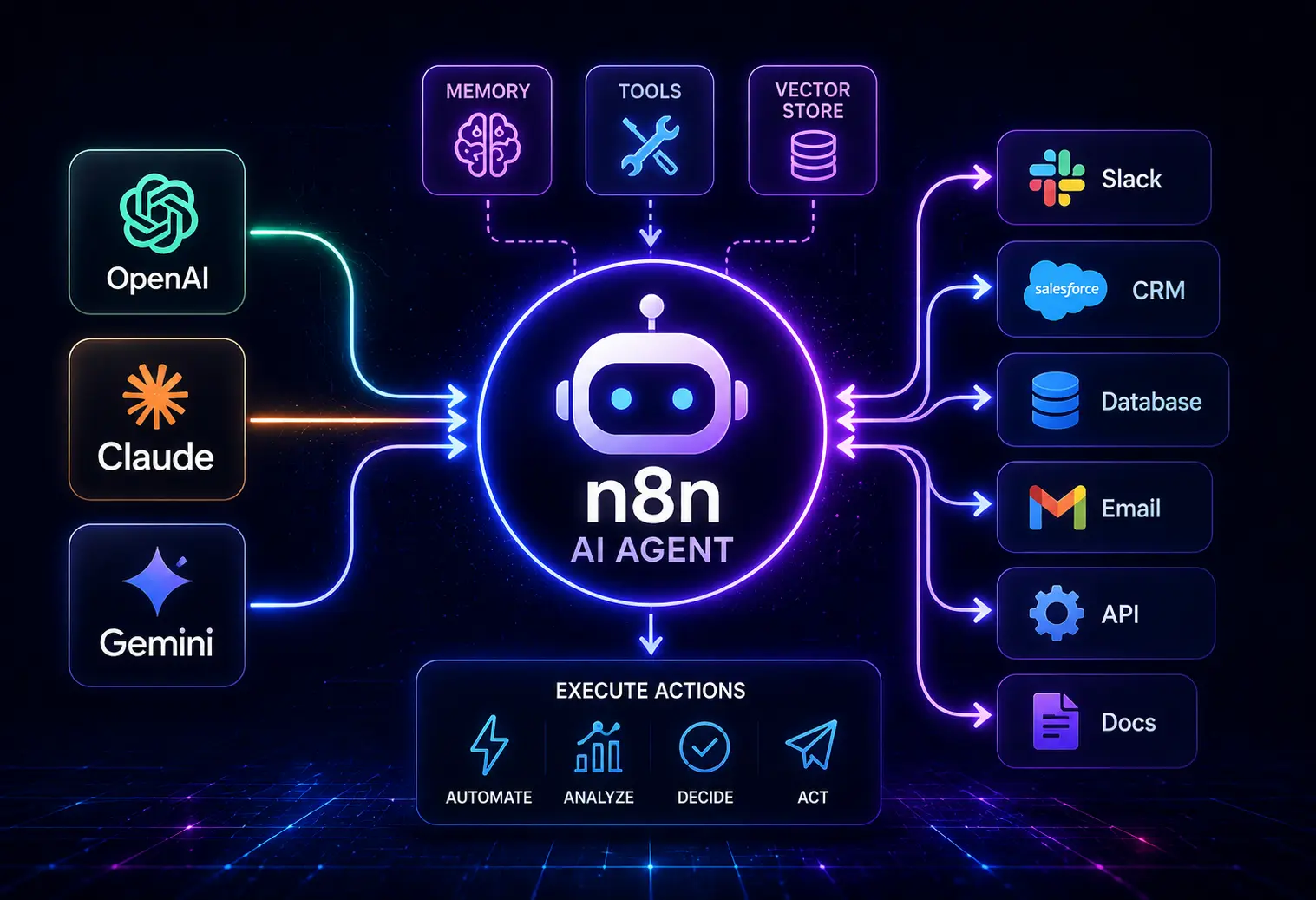
Ultimate Guide to n8n for SMEs: Building and Managing AI Workflows
Small and mid-sized enterprises need flexible automation that doesn’t cripple their IT budget or chain them to monolithic SaaS vendors. n8n for SMEs stands out with its open-source DNA, modular workflow builder, and fast-growing ecosystem. This guide delivers a critical review, dissecting each core component from technical setup to workflow validation, scaling, and future-proofing. If you’re evaluating n8n for SMEs, every technical and business trade-off you’ll face is mapped right here.
Assess Your Technical Resources
Deciding whether n8n is a fit for your SME starts with brutal honesty about in-house skills, infrastructure, and resource allocation.
Technical Friction
- DevOps Knowledge Required: n8n self-hosting assumes command-line proficiency and infrastructure understanding. Cloud options mitigate this but introduce recurring cost.
- API & Credential Management: Even the “visual” builder doesn’t eliminate the need for understanding OAuth, API tokens, and rate limits. Plug-and-play only applies for basic integrations.
- Migration Pathways: Moving existing workflows (e.g., from Zapier or Make) means manual recreation—n8n imports are limited outside raw JSON.
Granular Feature Teardown
- Dashboard Customization: n8n’s default dashboard is barebones. Expect a developer-led build to get tailored reporting, alerting, or advanced logging.
- Role Management: Basic with n8n Community Edition; only in n8n Cloud and Enterprise do you get group-based permissions.
The Hidden Trade-Offs
- Open-source flexibility costs you time on initial deployment, security patching, and monitoring. If you lack in-house SysAdmins, this can bog down launches.
- n8n’s community edition doesn’t bundle helpdesk support. You’ll need to rely heavily on forums or pay for n8n Cloud.
Future-Proofing Analysis
Over the next two years, n8n’s move to SaaS-native integrations and improved onboarding (with more guided wizards) should lower tech barriers. Expect deeper integrations with major public cloud identity services (like Azure AD). For SMEs, the technical debt of self-hosting will only increase as vendor-native modules become more robust and less reliant on CLI navigation.
Compare Cloud and Self-Hosted Deployment
n8n offers two deployment routes: their own n8n Cloud (managed SaaS) or on-premises/self-hosted (self-managed, typically via Docker or Kubernetes).
| Deployment Mode | Key Features | Typical SME Profile | Hidden Costs | Future-Proofing Score |
|---|---|---|---|---|
| n8n Cloud |
|
Startups, scale-ups, non-technical SMEs |
|
8/10 (rapidly iterating SaaS roadmap) |
| Self-hosted |
|
Tech-savvy SMEs, regulated industries, privacy-focused orgs |
|
6/10 (self-upgrade burden, longer support cycle) |
Technical Friction
- Cloud is hands-off but can’t be air-gapped; Self-hosting can be locked down but expects regular Docker maintenance, backups, and security scans.
The Hidden Trade-Offs
- Self-hosted gains unfettered API/UI mods but loses out on vendor quick fixes and native run guarantees.
- Cloud’s ease means less flexibility over network/firewall rules and no SSH access for deep troubleshooting.
Future-Proofing Analysis
SaaS adoption is rising, but regulatory splits will preserve both models. n8n Cloud is accelerating with features shipped every 4-6 weeks. Self-hosted will gain features more slowly but remain relevant for industries with strict on-prem mandates. SMEs should review their future data sovereignty and scaling needs carefully.
Understand Nodes and Data Flow
Nodes are the atomic unit of any workflow in n8n. Understanding their configuration, chaining, and the underlying data flow is central to building robust, adaptable AI and business automations.
Technical Friction
- Node development (custom code) requires JavaScript—no Python, .NET, or no-code module creation, which limits portability if your team has diverse language skills.
- Each node executes in-memory, so large data sets may hit memory/timeout caps. Paginating results or chunking tasks becomes a necessity quickly.
Granular Feature Teardown
- Node Editor: Visual tree-like UI. Outputs are easily mapped, but complex logic soon means dozens of intertwined connections—hard to debug at scale.
- Data Inspection: Each node output can be manually inspected—this is powerful for debugging but time-consuming for large payloads.
- Conditional Flows: Built-in “If” nodes allow basic branching, but multi-condition logic or dynamic branching soon requires function nodes and JavaScript intervention.
The Hidden Trade-Offs
- Simplicity of early workflows means complex automations can become spaghetti quickly. No built-in version control unless self-integrated.
- Transformations are powerful but poorly documented for edge cases—expect trial-and-error and limited native data validation.
Future-Proofing Analysis
Expect improved in-platform debugging and block-based, reusable subflows within the next year. AI-assisted workflow recommendations and auto-debugging are on n8n’s roadmap, which will help SMEs scale from simple to complex automations without bringing on full developers.
Connect Apps Through Credentials and APIs
n8n’s primary strength is its ability to connect diverse apps—be it CRMs, cloud storage, or generative AI—through credentials and APIs. The setup is deceptively simple but hides many real-world hurdles.
Technical Friction
- OAuth flows often require careful setup of app credentials in vendors’ dashboards and n8n itself.
- API limits (rate, quotas) are not always surfaced directly in the workflow UI—throttling or silent data loss can occur on high-frequency automations.
- n8n node library is extensive but many connectors are community-built, meaning varying quality and sometimes missing critical features (pagination, webhooks, etc.).
Granular Feature Teardown
- Credential Vault: Centralizes storage (AES-CBC encrypted). Enterprise tier allows secrets rotation and audit logs, but Community exposes all configuration in the environment variables.
- API Setup: Low-code interface for header/body config. Dynamic variables are supported, but JSONPath limitations can frustrate advanced mapping needs.
- Monitoring: Connection failures logged; retrials are available but only on paid tiers do you get automated fallback routing.
The Hidden Trade-Offs
- Wider connector reach comes at the cost of consistency. No uniformity across community nodes—expect patchiness in capabilities/documentation.
- Credential management is solid for small teams but hits scaling walls without Enterprise add-ons or external secret managers.
Future-Proofing Analysis
Watch for tighter integration with native API marketplaces (e.g., Microsoft, AWS). n8n is expanding its certified node program, meaning future nodes will offer more reliable business-grade connectors, narrowing the gap to commercial automation leaders.
Build AI Workflows and Validate Outputs
AI workflows are a major driver for SME automation—be that customer service chat routing, document summarization, or lead scoring. n8n for SMEs unlocks this, but it’s not just ‘connect and go.’
Technical Friction
- AI integrations (such as OpenAI GPT, Hugging Face, or Google Vertex) still require manual API key management and fine-tuning of model parameters for meaningful outputs.
- Handling multi-turn conversations or document streams quickly uncovers API output size constraints—chunking and post-processing logic is required.
Granular Feature Teardown
- Prompt Injection: Easily parameterized via UI; output fed into downstream steps or webhooks.
- Result Validation: Inline JavaScript or condition nodes let you set output thresholds, e.g., reject empty summaries, verify sentiment, or flag anomalies for review.
- AI Monitoring: No built-in drift or performance dashboards. SMEs must externally track token usage, cost, and accuracy by sending logs to ELK or similar stacks.
The Hidden Trade-Offs
- n8n exposes AI power to non-devs, but lacks enterprise-grade model versioning, rollback, or A/B testing—high-stakes tasks still require external management.
- Pluggable AI nodes are as good as the API underneath; outages or rate limit spikes can silently break flows if not anticipated.
Future-Proofing Analysis
The next 12 months will bring native guardrails—AI prompt versioning, output logging, and automated fallback handling directly within n8n. GenAI capabilities will multiply, but SMEs must remain vigilant, layering human review and rate tracking over automated flows to ensure quality and cost control.
Add Human Review and Failure Recovery
No automation survives first contact with real-world data without robust exception handling and a human escalation mechanism. n8n for SMEs offers foundational options, but out-of-the-box sophistication is limited.
Technical Friction
- Human-in-the-loop (HITL) commonly implemented with manual triggers—Slack/Teams notifications, email approvals, Google Sheets. No native inbox/dashboard.
- Failure paths often require explicit branch creation—no implicit “try/catch” flows without custom scripting.
Granular Feature Teardown
- Manual Trigger Node: Pauses workflow and awaits external confirmation/input. Useful but can create backlog if not paired with reminders/escalation.
- Error Triggers: On node failure, can route downstream actions (alerting, retries, or skipping). No graphical error path mapping; managing workflow state is manual.
- Audit Log: Limited in Community; Cloud and Enterprise offer more comprehensive instance histories.
The Hidden Trade-Offs
- Power users can build approval/exception dashboards, but this requires extensive external system integration.
- Real-time business process visibility is limited unless paired with third-party reporting tools.
Future-Proofing Analysis
n8n’s roadmap promises automated error clustering, pattern recognition, and native task inboxes in the coming cycles. AI-driven root cause analysis and guided troubleshooting for SMEs with limited operational oversight are also on the horizon.
Secure Access and Manage Sensitive Data
SMEs handling client data or regulated workflows must weigh n8n’s data security stack and threat model carefully, especially in self-hosted configurations.
Technical Friction
- By default, n8n Community offers basic environment variable-based secrets, not enterprise-grade vaults.
- SSO/SAML support is Enterprise-only—this is a hard stop for most SMEs with centralized login requirements.
- Audit trails and access reviews require Cloud/Enterprise, or heavy external logging integrations.
Granular Feature Teardown
- Environment Segregation: No built-in multitenancy. SMEs must spin separate instances or manually gate workflows and credentials.
- Encryption: Data at rest is encrypted in Cloud, but transit security relies on proper SSL/TLS server setup self-hosted.
- Access Controls: Team roles are hierarchical—Owner/Admin/Member. Custom roles and least-privilege policies are paid-tier only.
The Hidden Trade-Offs
- Ease of open-source means SMEs risk poor key management or over-exposed endpoints if default Docker/NGINX settings aren’t hardened.
- Cloud offers compliance and logging but restricts physical data sovereignty to the selected region.
Future-Proofing Analysis
Expect rising demand for “bring your own key” encryption and native integrations with popular SME password managers and secrets vaults. Automated compliance mapping (GDPR, HIPAA) is likely to land for Cloud/Enterprise users within 18 months, making SME onboarding less fraught with risk.
Estimate Hosting and AI Usage Costs
True n8n for SMEs cost modeling requires transparency: base hosting, anticipated AI token spend, and hidden extras across both deployment modes.
| Deployment Model | Base Cost (monthly) | AI API Usage ($/month: typical) | Support Level | Hidden Costs |
|---|---|---|---|---|
| n8n Cloud | $20/user (starter); $50/user (pro); $120/user (enterprise) | $20–$500 (depending on volume, e.g., OpenAI GPT-4, Google AI) | 24/7 ticket, chat (Pro+) | API quotas, workspace size limits, overage fees |
| n8n Self-hosted | $5–$30 (cloud VM); $0 if on owned hardware | $20–$500+ | Community only unless you buy Enterprise | Backup, monitoring, patching effort; potential for outage downtime |
Technical Friction
- AI costs scale with workflow complexity (prompt tokens, output size, API retries). SMEs often underestimate usage during pilot phase.
The Hidden Trade-Offs
- Cloud subscriptions are predictable, but API misconfigurations or runaway prompts can punch above budget unexpectedly.
- Self-hosting reduces monthly cost but exposes you to hidden labor hours—especially during failures or upgrades.
Future-Proofing Analysis
Vendors are introducing consumption-based pricing controls, and n8n is releasing in-platform cost estimators and alerts. AI model costs are dropping, but version upgrades will increase SME demand for per-flow cost visibility—this is already influencing the product roadmap.
Pilot a Customer Enquiry Workflow
Piloting an end-to-end customer enquiry workflow in n8n for SMEs is a critical proofpoint for many organizations. Here’s a breakdown of what that actually means in an operational context.
Technical Friction
- Live email/CRM API integration may require explicit permission scopes; failure to configure leads to lost messages or partial records.
- Webhook triggers are not always reliable when firewalls or VPNs are in play—occasional missed events demand duplicate checks.
Granular Feature Teardown
- Trigger Node: Kicks off workflow on email receipt, form submission, or webhook call.
- Processing Nodes: NLP-based auto-categorization, sentiment tagging, assignment to sales/support reps.
- Response Dispatch: Sends templated auto-responses; logs request to CRM (e.g., via Salesforce node).
- Escalation: If ambiguous or critical, creates Slack task or pushes to human review queue.
The Hidden Trade-Offs
- Automated triage boosts response efficiency but risks false negatives (misrouting) if AI nodes aren’t tuned and periodically audited.
- Workflows can become brittle if upstream apps (email, CRM, Slack) change endpoints or authentication requirements.
Future-Proofing Analysis
SMEs should architect modular flows: trigger, process, respond, review blocks. Anticipate changing AI models and APIs by designing flows with easy swap points, not hardwiring proprietary endpoints or logic. n8n will soon support template sharing and operation “snapshots,” making pilot-to-production migration less brittle for SMEs.
Maintain and Back Up Your Deployment
Business automation gains are worthless without operational stability and data resilience. n8n for SMEs has made strides, but it’s far from set-and-forget.
Technical Friction
- No default backup in Community Edition—manual exports or regular database dumps required. Cloud auto-backs up, but retention periods vary by plan.
- Version upgrades can break workflows; backward compatibility is not always guaranteed, especially with community connectors.
Granular Feature Teardown
- Workflow Export/Import: JSON-based, can script Git snapshots. No direct rollback—restoring former state is manual.
- Telemetry/Monitoring: Cloud dashboards offer uptime/error rates. Self-hosted must integrate external monitoring (e.g., Prometheus, Grafana).
- Hotfix Process: Cloud applies emergency patches automatically; self-hosting requires engineer intervention within hours of vulnerabilities announced.
The Hidden Trade-Offs
- Self-hosted is utterly reliant on your operational maturity; Cloud transfers the risk but locks your hands for deep custom rollback or forensics.
- Lack of native granular permissions on workflow recovery (i.e., restore just one automation) can expose SMEs to cross-workflow data leaks.
Future-Proofing Analysis
Expect native “Recover” buttons, cross-instance workflow transfer, and self-serve historical restores to land soon. AI-driven anomaly detection may flag failing automations before business impact, but only for Cloud/Enterprise users in the short term.