
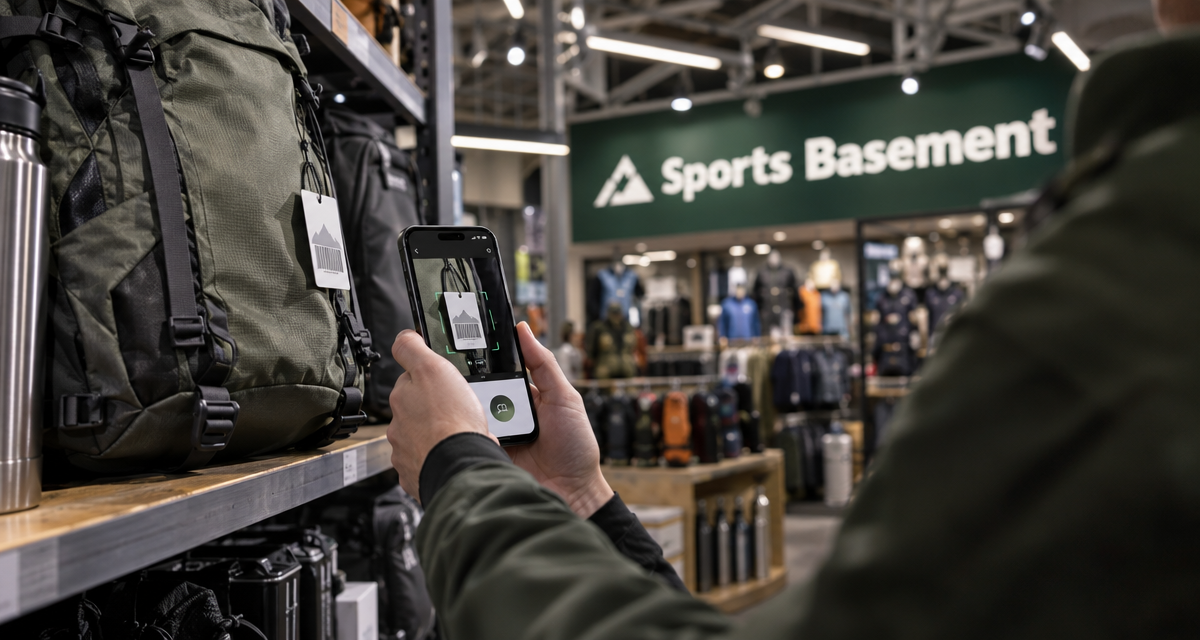
Scan a Shelf and Ask: Shoply AI Brings Product Assistance Into Stores
The retail experience is undergoing fundamental change as digital and physical commerce converge. Shoply AI and its scan-to-chat product assistant, now deployed at Sports Basement stores, exemplify how retailers are rethinking the path from shelf discovery to conversion. This guide unpacks exactly how the Shoply AI scan-to-chat system operates in real-world retail settings, what shoppers actually experience, which store pain points the platform addresses, and what deployment lessons retailers in Singapore and globally should be learning now.
How the Scan to Chat Store Assistant Works
The Shoply AI scan-to-chat workflow starts with QR codes placed directly on shelves or signage next to merchandise. When a customer scans the code, it triggers a context-specific chat assistant on their phone—no app installation required. The assistant is powered by Shoply AI’s proprietary conversational engine, trained on a combination of structured product databases and policy documentation directly from the retailer.
Technical Architecture Breakdown:
- QR Code Generator: Retailers generate printable, shelf-specific QR codes from the Shoply AI dashboard. Codes embed SKUs, shelf section data, or pre-configured queries.
- Cloud-Hosted Engine: All chat logic and database references are hosted offsite; there’s no need for in-store servers or POS piping.
- Data Connectors: The backend fetches live inventory, specs, and policy data using APIs or file imports (CSV, XML, etc.). Integration with legacy retail ERP/POS systems may require custom connectors or middleware, especially for non-standard SKU schemas.
- Natural Language Model: The chat UX is powered by a retail-customized LLM, adding guardrails to avoid hallucinated or non-compliant responses.
Hidden Trade-Offs:
- Reliance on up-to-date integration: The accuracy of information—like stock levels, pricing, and promotions—is only as good as the latest import. Any sync lag between Shoply AI and the retailer’s core database can result in outdated responses.
- Data privacy risk: As queries are handled in the cloud, stringent compliance reviews are required to ensure customer and store data remain protected, particularly under PDPA (Singapore) and GDPR (EU) regulations.
Deployment Complexity: For chains like Sports Basement, roll-out is straightforward if SKU labeling is already digitized. Smaller retailers, or those with fragmented inventory systems, may face substantial upfront labour mapping shelf codes, cleansing product data, and determining policy nuance for every product category. Without strong IT support, these onboarding tasks can be a major bottleneck.
What Shoppers See After Scanning a Shelf Code
On scanning a QR code, shoppers are launched into a mobile browser chat session that’s automatically contextualized with the scanned product or shelf. Here’s what greets them on their screen:
- Immediate Context: The assistant introduces the specific shelf, brand, or product line in context. There’s no need for manual SKU search or navigation.
- Chat Prompt: A chat field invites any question—common starter prompts appear for those unsure what to ask (“What are the differences between these shoes?”, “Is this suitable for hiking?”).
- Rich Messaging: Responses are text-first but often include inline images, product comparisons, or direct links to relevant policies, all styled in retailer branding.
- Escalation Option: If the question can’t be answered or requires deep product expertise, a “Request Staff Help” button notifies a human associate (if configured by the store).
Real-World Limitations:
- The on-phone chat UI is heavily bandwidth-dependent; dead zones or poor in-store wifi can produce lag, failed image loads, or timeouts.
- For elderly shoppers or those less familiar with QR navigation, the lack of a traditional in-person point-of-contact could be alienating, unless well-signposted and with in-store staff guidance.
- Multiple shoppers scanning the same code at once has no direct impact; each session is isolated, but analytics must be carefully filtered for false spikes in queries.
How Product Information and Store Policies Inform Answers
The Shoply AI chat assistant draws on three main knowledge sources:
- Core Product Database: Full SKU-level detail—specs, use cases, warranty info, price, stock—all pulled from the retailer’s master inventory system, PIM, or catalog export.
- Store Policy Playbooks: Returns, exchanges, fitting rooms access, current promotions, and location-specific procedures are injected into training so answers are store-compliant and up-to-date.
- Brand Training Materials: At deployments like Sports Basement, manufacturer specifications and training guides can be embedded, allowing the assistant to explain subtle differences (e.g., between running shoe types or hydration packs).
Configuration Considerations:
- Real-time sync: For dynamic questions (e.g., “Is this size in stock now?”), real-time API read access is essential. If relying on file uploads or periodic syncs, answers could omit recent sales or markdowns.
- Policy recency: Promotional offers and exceptions to standard policies require vigilant updating, otherwise the assistant may give legally problematic or misleading advice to shoppers.
- Localization: Singapore deployments must account for multilingual shoppers. Shoply AI supports multi-language prompts, but automated translation still requires careful QA review per product/policy.
Benefit: Automated, always-on answers dramatically reduce the need for specialist sales staff on hand at every display, especially for complex product categories where specs and fit matter—think performance bicycles, shoes, or electronics peripherals.
Where the Assistant Supports Store Employees
While initially conceived as a self-serve shopper tool, retailers like Sports Basement have found several store-side benefits to embedding Shoply AI scan-to-chat into daily workflows:
- Onboarding Support: New staff can scan shelf codes and receive the same expert-tier product information as shoppers, compressing training time for complex categories by weeks.
- Policy Standardization: Staff can reference store policy answers directly from the tool, reducing human inconsistency around returns/exchanges or warranty queries.
- Query Escalation Routing: If the assistant cannot answer (e.g., product stock anomaly, price dispute), it can automatically escalate a ping to staff or central management as per predefined escalation paths.
- Operational Analytics: Aggregated chat logs identify product confusion pain points, informing merchandising tweaks or future in-person staff training agendas.
Technical Friction:
- Not all store devices may be allowed to access external URLs or scan QR codes, depending on existing IT policies and device provisioning—especially in stores with strict endpoint management.
- In businesses with high staff churn or heavy use of contractors/part-time workers, there’s ongoing need for training and casual access provisioning to the system, or risk of staff defaulting to legacy (and often inconsistent) verbal explanations.
Accuracy and Escalation Questions for Retailers
No AI tool is perfect. Shoply AI addresses several industry-specific reliability and compliance questions:
- Response Hallucinations: The core model is tuned for high precision and references only verified databases and policies. Any query outside the data corpus is responded to with a fallback (“I’m not sure, let me bring a staff member over.”), reducing risk of fabricated or misleading answers on sensitive topics.
- Error Escalation: Unresolvable tickets can be logged and triaged by store managers or routed to a centralized service team, based on retailer configuration. This ensures rapid response to edge cases and continuous knowledge base improvement through supervised learning.
- Data Staleness: Store IT must enforce strict change management for promotions, price changes, or safety recalls. If updates aren’t piped to Shoply AI immediately, the assistant’s responses will lag—posing legal or reputational risk.
- Callbacks and Human Escalation: For questions about conflicting policies or customer complaints, the system is not a replacement for empowered floor staff—a clear handoff path to in-store escalation is critical.
Analytics & Oversight: The strongest implementations have store managers actively reviewing chat logs to spot systematic misunderstandings or gaps in product/category data, and to retrain or update the assistant week-to-week as seasonal SKUs or policies change.
| Implementation Aspect | Risks if Ignored | Best Practice | Metrics to Monitor | Primary Stakeholder |
|---|---|---|---|---|
| Real-Time Stock Sync | Wrong info shown for live queries; customer frustration | API-based, instantaneous updates from POS/ERP | Stock query accuracy % | Store IT / Inventory Manager |
| Policy Currency | Promotions/returns info outdated; potential legal exposure | Automate sync with promo/policy database | Escalation rates for policy questions | Operations Manager |
| Staff Handover Flow | Queries go unresolved; shoppers feel ignored | Real-time alert to floor staff with ETA tracker | Average handover response time | Store Manager |
| Chat Log Review | Misunderstandings persist across queries | Weekly AI transcript analysis & retraining | Repeat question hotspots | Knowledge Manager |
| Language/Multi-Device Access | Alienation of non-English or low-tech shoppers | QA translations; in-store staff available as backup | NPS by demographic | Store Manager / HR |
Lessons Singapore Retail Businesses Can Take From the Deployment
Singapore’s retail landscape, from specialty chains to heartland stores, is defined by intense competition, multilinguistic shoppers, and substantial constraints on frontline staff supply. The Sports Basement model shows several distinct lessons that local retailers should absorb when considering similar deployments:
- Data Preparation is Non-Trivial: Building a reliable, queryable product knowledge base is far more work than enabling the chat widget itself — especially for stores with fragmented or manual inventory records.
- Multilingual, Multimodal UX: Singapore store estates must prioritize multi-language support (Chinese, Malay, Tamil, English), and supplement automated chat with at least minimal on-floor staff presence for non-digital natives.
- Policy Localization: Returns, exchanges, and consumer protection frameworks differ from the US/Europe context; the chat AI must reflect Singapore regulations and local store practices to avoid compliance risks.
- Cultural Adoption Curve: Singaporean shoppers, while tech-savvy, still expect a human presence and high-contact service. Retailers should clearly communicate the hybrid approach: AI for quick answers, human staff for anything nuanced.
- Operational Resilience: The reliance on real-time internet connectivity in-mall or in-store remains a point of failure. Provisions should be made for instant handoff to staff or self-service fallback (printed info, digital kiosks) in event of system downtime.
- Analytics Maturity: The true benefit comes not just from reducing staff distractions, but from surfacing the “unknown unknowns” — what do shoppers want to know that staff can’t predict? Weekly review of chat logs should inform merchandising, signage, and staff training in an ongoing cycle.
Ultimately, “scan to chat” isn’t a silver bullet, but as Shoply AI demonstrates, when tightly integrated with operational data, local policies, and a blended human-AI workflow, it can give retailers in Singapore a distinct edge in service and efficiency, even amidst resource constraints.